Fast answer
Key Takeaways
- Employer branding video answers one candidate question: what is it actually like to work here? Every format should show a real answer, not a slogan.
- Plan recruiting video by candidate stage: short job-ad cutdowns to discover, a careers page film to consider, role videos to apply, a leadership message to accept.
- Cast employees who volunteer and who talk well about their actual work, then run a pre-interview so nobody meets the questions for the first time on camera.
- Polish the craft (light, sound, edit) and leave the people unscripted. Candidates trust real employees in real rooms more than a staged montage.
- Measure recruiting video against hiring metrics: careers page completion, apply rate, candidate quality, and offer acceptance, not views alone.
“What is it actually like to work here?”
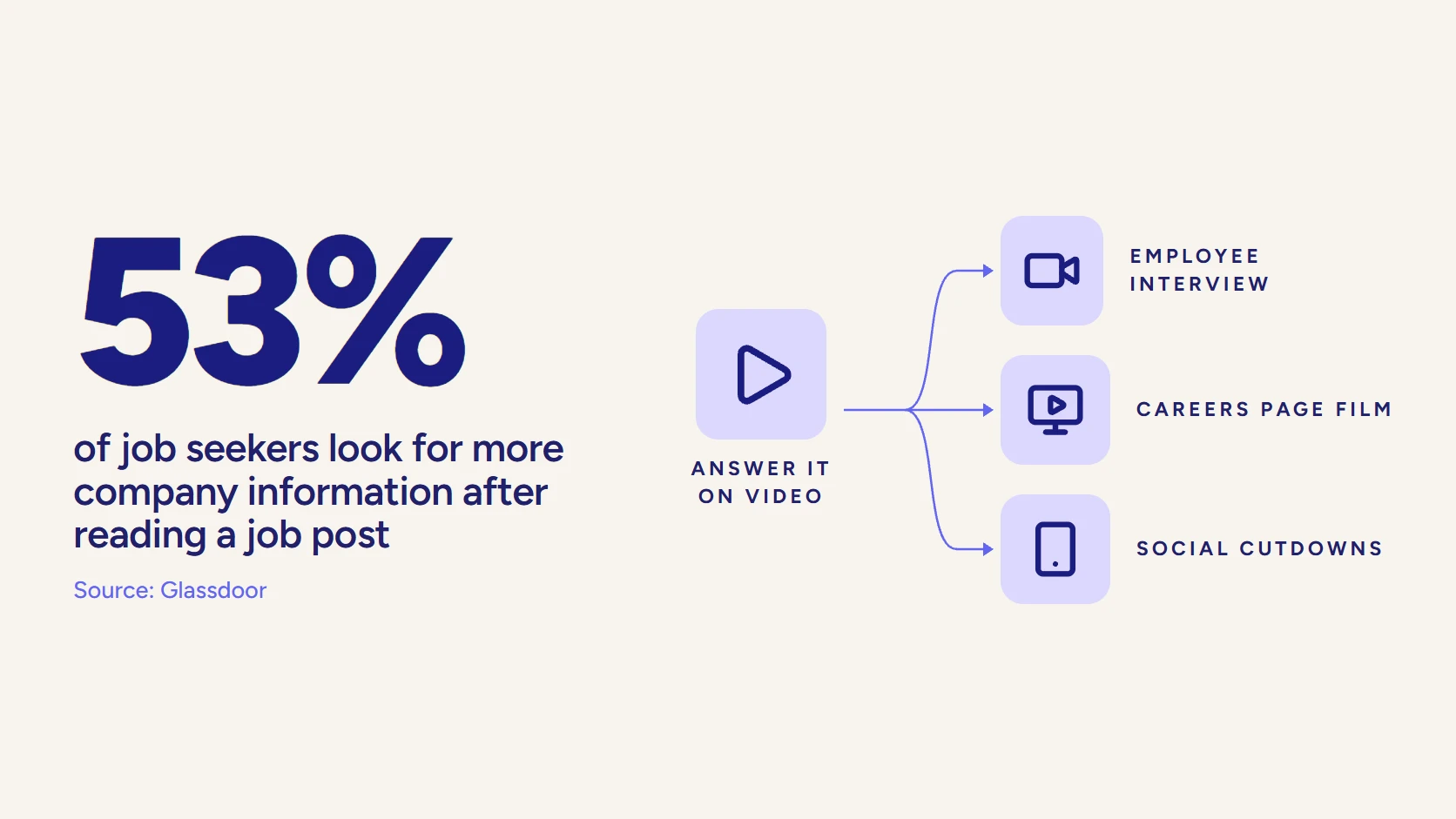
Every serious candidate asks it. Few ask it out loud. An employer branding video is your chance to answer before a review site does, because candidates ask with a careers page in one tab and that review site in another, piecing together an ordinary Tuesday at your company. Glassdoor reports that 53% of job seekers look for more company information after reading a job post.
That gap is the whole brief.
The video exists to close it, with real employees, real rooms, and real work on camera. This guide follows the candidate from the first job ad they scroll past to the offer letter they sign, and shows which recruiting video does the work at each step, how to cast and prepare the people in it, and how to tell whether any of it moved your hiring numbers.
- Employer branding video
- A video that shows candidates the job and the company from the inside, through real employees, real workplaces, and real work, so they can judge whether they belong there before they apply.
What Is an Employer Branding Video, Really?
It is any video that shows a candidate the job and the company from the inside, so they can decide whether they belong there before they apply. The formats vary (a careers page film, a day-in-the-life, an employee story, a leadership message, a short job ad), but the test is the same: after watching, does a candidate know something true about working here that they did not know before?
Most recruiting videos fail that test in a predictable way. They list values. Collaboration, innovation, a great culture. Every competitor for the same candidate says the same three words, so the video tells the viewer nothing. A useful recruiting video names the specifics instead: the project a new analyst ships in their first quarter, the Friday demo where engineers show unfinished work, the manager who explains how promotions are actually decided.
The distinction from its neighbors matters for planning:
- Culture video. The broadest cut, about how the company works and what it values. Our guide to the company culture video covers that format on its own.
- Recruiting video. Narrower and tied to hiring: a role, a team, or a location, with a clear next step to apply.
- Internal comms. The same people, filmed for existing employees rather than candidates, which is why the footage often serves both.
What Do Employer Branding Video Examples Look Like?
Three pieces of LocalEyes Video Production work show the main shapes. Each teardown sticks to what the video’s own title and description say.
McRory Pediatrics. Staff interviews plus the facility itself carry the story, and the title names the double job outright: company culture and recruitment in one film.
OEG. A company culture video running 2 minutes 31 seconds, inside the 1 to 3 minute range that the length table below gives for a careers page anchor.
Goodwill Denver. One employee, one arc. It profiles Edward Smith, the 2018 Opportunity award winner at Goodwill of Denver’s annual Power of Work awards, which is the employee-story format at its simplest.
How Do Candidates Discover You on Video?
Discovery is the moment a passive candidate who was not looking stops scrolling. Your video here has one job: earn a click to the careers page. It will not explain the role. It cannot. It only has until the viewer’s thumb moves on.
Job-Ad Cutdowns for LinkedIn and Social
The workhorse of this stage is the cutdown: a short clip lifted from a longer employee interview, captioned, and framed vertically or square for the feed. Levitate Media puts the social sweet spot at around 60 to 90 seconds, and a paid job ad on LinkedIn should run shorter still, since LinkedIn recommends 15 to 30 seconds for video ads. LinkedIn is also where the audience already watches: Wyzowl’s 2026 survey found 70% of video marketers use it as a video platform.
One sharp line from a real engineer (“I shipped code to production in my second week”) outperforms a montage of people smiling at laptops, because it is a claim a candidate can check.
- One person, one idea. A cutdown that tries to show the whole company shows none of it.
- Captions burned in. Most feed video plays muted, so the words have to be on screen.
- A named role or team. “We’re hiring in Dallas” beats “Join our team” every time a candidate is deciding whether it is for them.
Framing for the feed has to be planned on set, not rescued in the edit, and vertical pays twice: YouTube counts square or vertical uploads of up to 3 minutes as Shorts. Our guide to vertical video for social media explains why a locked-off wide shot rarely survives the crop.
Why the Research Stage Starts Earlier Than You Think
By the time a candidate clicks, they are already investigating you. The same Glassdoor research found 83% of job seekers are likely to research company reviews and ratings when deciding where to apply. Your discovery video is competing with what strangers have written about you, so it needs to say something specific enough to be believed next to that.
What candidates do before they apply
What Do Candidates Watch When They Consider You?
Consideration happens on your careers page, and it is where the longer formats earn their budget. The candidate has clicked. Now they are weighing you against a shortlist of other employers and looking for a reason to rule you in or out.
Silence rules you out. A careers page with nothing but a benefits list and a stock photo tells a candidate nothing they could not guess, and the review site in the other tab fills the gap on your behalf.
The Careers Page Film
This is the anchor asset, usually 1 to 3 minutes (the same guidance favors longer cuts for career sites than for social), built from several employee voices and real footage of the workplace, answering the big question in one place. It sits at the top of the careers page and gets reused in recruiter emails and at hiring events. A C&I Studios sample budget for a two-office recruiting film plans exactly that shape: a 2-minute hero cut plus a set of shorts for careers pages and social.
Here is how length lines up by format, using only published guidance and platform rules:
| Format | Length guidance | Source |
|---|---|---|
| Paid job ad on LinkedIn | 15 to 30 seconds recommended; 3 seconds to 30 minutes allowed | LinkedIn ad specs |
| Organic social cutdown | Around 60 to 90 seconds | Levitate Media |
| Vertical cut for YouTube | Up to 3 minutes counts as a Short | YouTube Help |
| Careers page film | 1 to 3 minutes, with slightly longer cuts suiting career sites | Levitate Media |
| Two-office recruiting film | A 2-minute hero cut plus a set of shorts | C&I Studios sample budget |
| Role video, day-in-the-life, leadership message | No format-specific benchmark; the 1 to 3 minute overall range applies | Levitate Media |
Day-in-the-Life and Employee Stories
Below the anchor, shorter pieces go deeper. A day-in-the-life follows one person from their first meeting to their last, which answers the Tuesday question more honestly than any interview can. An employee story is a single person’s arc: why they joined, what surprised them, why they stayed. Both borrow the craft of documentary-style content, where the camera observes instead of directs.
Here is how the full set maps across the journey:
| Format | Candidate stage | Question it answers | Where it runs |
|---|---|---|---|
| Job-ad cutdown | Discover | Is this worth a click? | LinkedIn, Instagram, TikTok, paid social |
| Careers page film | Consider | What is it like to work here? | Careers page, recruiter email, hiring events |
| Day-in-the-life | Consider | What does an ordinary day look like? | Careers page, team pages, YouTube |
| Employee story | Consider | Why do people join and stay? | Careers page, LinkedIn, employee advocacy |
| Role video | Apply | Is this job what I think it is? | Job posts, applicant tracking system |
| Leadership message | Accept | Where is this company going? | Offer email, finalist follow-up |
| Team welcome | Accept and onboard | Who will I work with? | Offer packet, pre-boarding portal |
Read the table by column and a pattern shows up. The footage overlaps far more than the formats do. The same interview that produces a careers page film also produces a run of feed cutdowns and a role video, which is why the whole set should be planned as one production, not bought one piece at a time.
Which Recruiting Video Keeps a Candidate Applying?
The application is where good candidates quietly leave. They have decided they are interested. Then they reach a job description written like a legal document, and the question comes back: is this role what I think it is?
Two short formats earn their place here:
- The role video. A hiring manager or a current team member explains the job in plain words: what the first few months look like, who the person works with, and what a strong candidate already knows. Placed on the job post itself, it filters as much as it attracts, which is the point.
- The process video. A recruiter walks through the interview steps, how long each takes, and what to prepare. It lowers anxiety, and it cuts the emails your recruiting team answers one at a time.
Neither needs a large crew. Both need the same thing every recruiting video needs: a real person speaking about their actual work, lit and recorded well enough that the candidate listens to the words instead of noticing the production.
The payoff shows up first in screening: fewer mismatched applicants for recruiters to filter out, because the role video already told the wrong candidates this job was not for them.
Video that has to work?
Plan your next video project with LocalEyes Video Production and start from the goal, not the brief.
What Video Helps a Finalist Accept the Offer?
By the offer stage, the candidate has met a few people and liked most of them. What they have not seen is the rest of the company, and they are about to bet the next few years of their career on it.
A leadership message belongs here, and it is the most misused format in recruiting video. The weak version is a CEO reading the mission statement. The strong version is a leader answering a question a finalist would actually ask (where is the company going, how are decisions made, what happens when a plan fails) in their own words, briefly, without a teleprompter. It works because it is the one part of the company a finalist cannot meet in an interview loop.
Reputation decides a surprising number of these moments, and the finalist has read the same reviews as every other applicant. An honest leadership message and a welcome from the future team will not fix a bad reputation. They will stop a good one from going unseen.
The accept stage also hands off to onboarding. The team welcome a new hire watches before day one often uses the same interviews, and it does quiet retention work too, a link we explore in how onboarding videos reduce churn.
What Should a Recruiting Video Brief Include?
A recruiting video brief should start from the hiring plan, not the camera. The talent team knows which roles are hard to fill, which locations are growing, and where good candidates drop out. Marketing knows the brand voice and the channels. The brief is where the two meet, and a weak one is the reason so many recruiting videos end up generic.
Before anyone books a crew, get these on one page:
- The hard-to-fill roles. Name the requisitions the video must help with over the next few quarters. A video built for every role is built for none.
- The candidate’s real objection. Ask recruiters what finalists hesitate over. Commute, pace, career path, remote policy: whatever it is, the video should answer it on camera rather than avoid it.
- The drop-off stage. Pull the funnel from your applicant tracking system. If candidates view posts but never apply, the gap is at the application. If they apply but decline offers, it is at acceptance.
- The versions and channels. List every place a cut will run, from the careers page to paid LinkedIn to the offer email, so the shoot captures the framing each one needs.
- The people and places. Which teams, which offices, which employees have volunteered, and which rooms show the work best.
A brief like that turns into a shot list almost by itself. Our pre-production checklist covers the logistics that follow, from releases to location scouting.
How Do You Cast Real Employees for a Recruiting Video?
Cast for credibility, not charisma. The person a candidate believes is the one who does the job they are applying for and can describe it specifically. The most polished speaker in the building is often a sales leader, and a candidate for an engineering role will discount them on sight.
Who to Put on Camera
- Volunteers first. Ask openly and let people opt in. A reluctant employee reads as reluctant on camera, and no edit hides it.
- A spread of tenure. A new hire speaks to what the first months are like. A long-tenured employee speaks to why people stay. Candidates want both.
- The roles you are hiring for. If the open requisitions are in operations, the video should be full of operations people, not the marketing team who organized the shoot.
- Real range. Show the actual mix of people, locations, and working styles in the company. A cast that looks curated for the camera invites the candidate to wonder what the rest looks like.
Get releases signed before the shoot, and tell every participant how and where the footage will run, including social cutdowns. Consent that covers a careers page but not a paid LinkedIn ad becomes a problem the week the ad is ready to launch.
How Do You Get Employees Comfortable on Camera?
Nobody is natural on camera the first time. Comfort is a product of preparation and the way the day is run, and it is the production partner’s job to create it rather than the employee’s job to fake it.
Three things do most of the work. A short pre-interview by phone a few days out, so the person has already said their best answers once, out loud, to a human. A conversation on set instead of a script, with the interviewer sitting just off camera so the employee talks to a person, not a lens. And patience: the first answers are warm-up, and the usable ones tend to arrive once the lights stop feeling strange.
Here is how a well-run shoot day with real employees is typically structured:
A shoot day with real employees
- Pre-interview callsShort phone conversations days before, so every employee has said their best answers once.
- Arrive and set up quietlyLight and sound the interview room before employees arrive, so nobody waits in the glare.
- Warm-up conversationStart with easy questions off the record until the person forgets the camera.
- Unscripted interviewsInterviewer sits just off lens and asks for stories, not slogans. No memorized lines.
- Real-work B-rollFilm the same people doing their actual jobs, in the rooms where the work happens.
- Cutdown pickupsCapture vertical framing and short standalone lines for feed and job-ad versions.
Notice what is missing from that day: memorized lines. Employees who read a script sound like they are reading a script, and candidates hear it instantly. Our guide to making a testimonial video covers the interview technique in more depth, since the method for a customer and an employee is nearly the same.
Plan the B-roll with the same care as the interviews. Real work in progress (a whiteboard session, a site visit, a code review) is what makes an employee’s words visible, and it is the footage every cutdown will lean on later.
Should a Recruiting Video Be Authentic or Polished?
Both, in different places. The mistake is treating it as a trade-off.
Candidates are skeptical of anything that looks like an ad, and they should be. But “authentic” does not mean a phone video with bad audio in a loud open office. That reads as careless, and a careless video suggests a careless employer. The answer is to split the two: polish the craft and leave the people alone.
Where to polish and where to leave it real
Polish these
- Lighting and clean interview audio
- Framing for every channel version
- Story structure and pacing in the edit
- Captions, color, and sound mix
Leave these real
- What employees say and how they say it
- The actual workplace, mess included
- Honest admissions about pace or challenge
- The real mix of people on the team
In practice, that means professional light, clean sound, and a careful edit wrapped around unscripted people saying things in their own words, including the occasional honest admission. An employee who says the pace is intense and then explains why they like it is more persuasive than a whole cast saying everything is great. Good interview lighting and a quiet room are what let that honesty come through clearly.
Why Do So Many Recruiting Videos Fall Flat?
They fall flat because they are made for the company’s comfort instead of the candidate’s question. The failure patterns repeat across industries, and each one is avoidable at the brief stage:
- The values montage. Words on screen, upbeat music, people high-fiving in a hallway. It says nothing a competitor could not say, so it convinces nobody.
- The executive monologue. A leader speaking for several minutes to a camera, filmed as if the audience were the board. Candidates skip it within seconds.
- The wrong cast. The people on screen do not do the jobs being hired for, so the candidate cannot picture themselves in the picture.
- One cut for every channel. A horizontal careers film posted unchanged to a vertical feed, with no captions and a slow open.
- No next step. The video ends, and the viewer has no link to the open role, the team page, or the application.
The common thread is generic. Specificity fixes all five: specific people, specific work, specific versions for specific channels, and a specific next action. Good storytelling techniques help, but the real fix is deciding in the brief what a candidate should know afterward.
How Do You Film Recruiting Video Across Multiple Offices?
Film every location to one visual standard, with one interview approach and one story structure, so a candidate comparing the Denver team to the Boston team sees two versions of the same company rather than two different vendors’ work. Consistency is itself a signal. A company whose offices look and sound like one organization reads as one organization.
That usually means one production lead who owns the look and the questions, local crews who know each city, and a single editor who assembles the whole set. It also means scheduling interviews around real operating hours at each site, so the B-roll shows the office working, not an empty floor on a Saturday. For companies hiring in several markets at once, that coordination is where most of the production effort goes, and it is the part that is hardest to reproduce with a different freelancer in every city.
LocalEyes Video Production ran exactly that shape for Mintegral: client interviews across 3 cities, cut by one central editor. The subject was customers rather than candidates, but the logistics of a multi-office recruiting program are the same.
How Do You Measure a Recruiting Video?
Measure it against hiring outcomes, because views are the one number that cannot tell you whether a video worked. A cutdown can rack up views from people who will never apply, while a role video watched by a small, qualified audience can fill a hard requisition.
Track the metrics that sit closest to a hire:
- Careers page engagement. Play rate and completion on the anchor film, and whether viewers go on to open a job post.
- Apply rate on posts with video. Compare job posts that carry a role video against comparable posts that do not, over the same period.
- Candidate quality. Ask recruiters whether screened-in rates change. A good role video should reduce mismatched applicants, not only raise the total.
- Offer acceptance. Watch acceptance rates for finalists who received the leadership message or team welcome.
- Source of hire. Tag links in cutdowns and recruiter emails so the applicant tracking system can attribute hires back to a video.
Set a baseline before launch. Without the numbers from the quarter before the videos ran, every later result is an anecdote. If your team already measures brand video, the same discipline applies, and our guide to measuring brand video ROI shows how to set it up.
What Does Recruiting Video Production Cost?
Cost follows scope (shoot days, locations, employees interviewed, and finished versions), and at LocalEyes Video Production most projects land between $15,000 and $30,000, with scoped projects from around $10,000. Our breakdown of corporate video production costs covers the line items.
Why Bring In a Production Partner for Employer Brand Video?
Because the hard parts are not the camera. They are the casting conversation, the pre-interviews, the direction that turns a nervous employee into a clear one, and the edit that pulls a full set of usable assets out of a day of footage. An in-house phone setup can make a fine update. It struggles to make a careers page film a finalist will trust.
LocalEyes Video Production has produced 4,000 videos over 8 years across 10 US markets, with Emmy recognition and 500+ five-star reviews. The McRory Pediatrics, OEG, and Goodwill Denver films above are the proof that matters here: real staff, real rooms, no actors. Our full corporate video production service covers strategy, scripting, the shoot, and every channel version, and local crews in cities like Dallas and Chicago mean multi-office companies can film every location to one standard.
If your next hiring push needs candidates to see the real company before they apply, start with the question they are already asking. Then film the answer.
Video that has to work?
Plan your next video project with LocalEyes Video Production and start from the goal, not the brief.
Frequently Asked Questions
What Is an Employer Branding Video?
How Long Should a Recruitment Video Be?
Should We Use Real Employees or Actors in a Recruiting Video?
How Do You Make Employees Comfortable on Camera?
Can Small Businesses Benefit From Recruitment Videos?
How Do You Promote a Recruiting Video to the Right Candidates?
How Do You Measure Recruiting Video Success?

Founder at LocalEyes Video Production | Inc. 5000 CEO | Emmy Award Winning Producer