Fast answer
Key Takeaways
- 2D wins when the subject is invisible: software, workflows, data, and services that a camera cannot film and 3D would overbuild.
- Pick the 2D style by message: flat vector for product logic, character for human stakes, motion graphics for data, isometric for systems, whiteboard for dense training.
- Skip 2D for physical products that must be seen in the round, premium brand films, and proof that needs real customers on camera.
- Lock the script, style frames, and animatic before animation starts; late changes after that point are where 2D budgets and schedules slip.
- LocalEyes Video Production scopes 2D inside its standard range: most projects land between $15,000 and $30,000, and scoped projects start around $10,000.
A 2D explainer video is the smartest first video most B2B software and service companies can make, and the reason is not that it is cheaper. It is that your product is mostly invisible. An API, a compliance workflow, a pricing model, a data pipeline. None of it can be filmed, and a 3D render would spend your budget modeling objects that do not exist.
2D fixes that with a simple trade. You give up physical realism. You gain total control over what the viewer sees, in what order, and for how long.
That trade is not always worth it.
So this guide does not sell 2D. It tests it. Each section below is a fit test, with the cases where a 2D explainer animation earns its place and the cases where you should spend the money on 3D or a camera crew instead. If you already know you want 2D, the later sections show real examples, the production steps, and how long it takes.
Summary
The 2D Fit Test at a Glance
- Choose 2D when the subject is invisible: software, processes, data, or a service.
- Choose 3D when buyers must see a physical product with depth and material.
- Choose live action when the proof depends on real people and real reactions.
- Match the 2D style to the message: vector, character, motion graphics, isometric, or whiteboard.
- Decide the look at style frames and the pace at the animatic, before animation begins.
What Is a 2D Explainer Video?
A 2D explainer video is a short animated film, built from flat illustrated artwork that moves on a two-dimensional plane, that explains one product, process, or idea to a specific buyer. Height and width, no modeled depth. Everything on screen is drawn, designed, and animated on purpose, which is why the format is so good at making a complicated thing feel orderly.
It helps to say what it is not. A 2D explainer is not a slideshow with transitions, and it is not a screen recording with music under it. Those have their place. The difference is art direction: a designed visual system (color, type, iconography, character style) that turns an abstract offer into a world the viewer can follow.
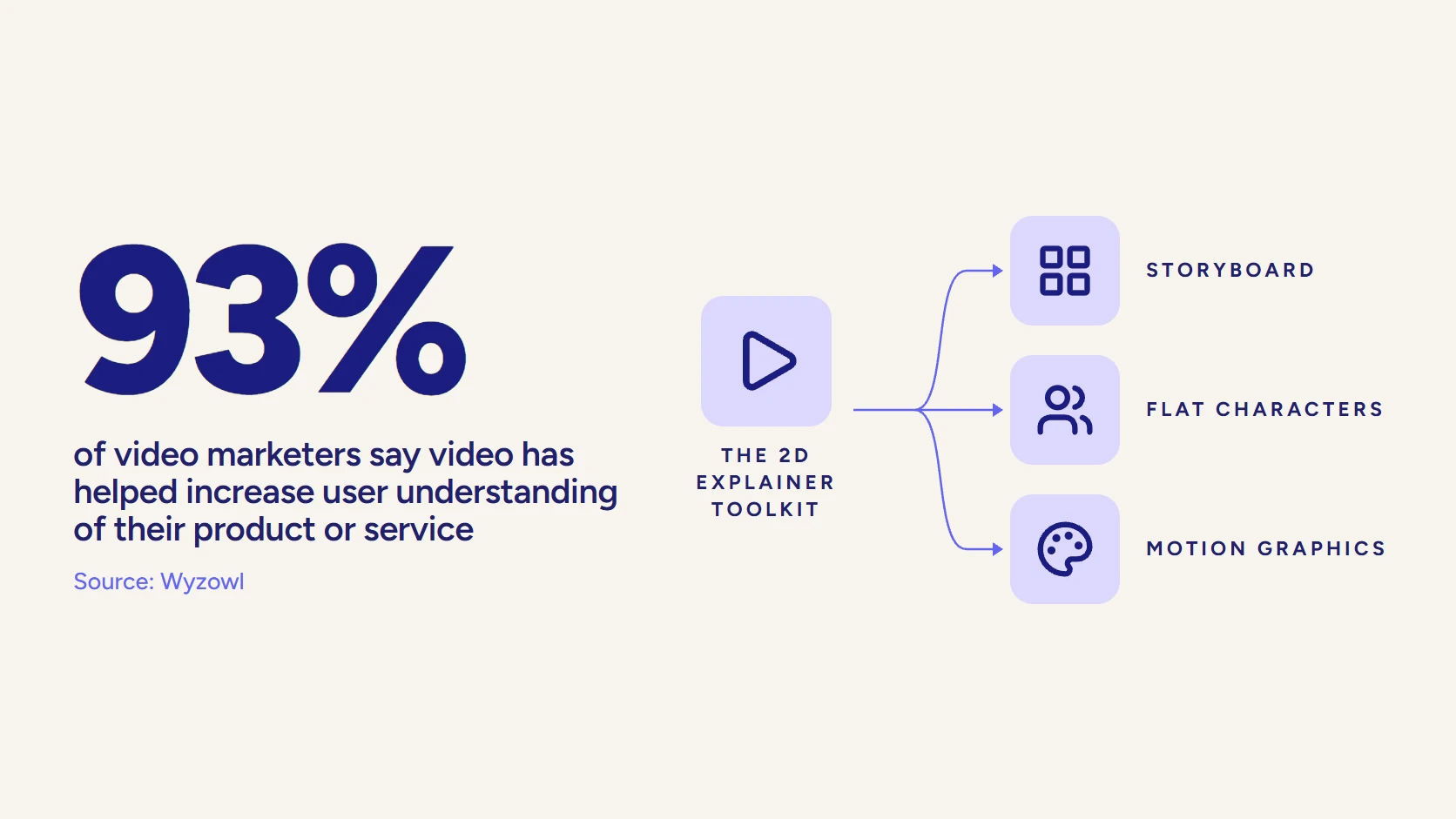
The format earns its place because explaining is what it does best. In Wyzowl’s 2026 research, 93% of video marketers say video has helped increase user understanding of their product or service. Explainers are how most of them get there: 68% of video marketers have made one, second only to social video.
For how we scope 2D animation video production beside 3D and motion work, the service overview maps the full field.
Which 2D Explainer Style Fits Your Message?
“2D” is a family, not a single look. The style you pick should follow the job the video has to do, and most buyers choose on taste first and job second. Reverse that order. Our broader guide to animation styles covers every discipline; here we go deeper on the 2D branches only.
| Style | Best for | Watch out for |
|---|---|---|
| Flat and vector | Product logic, SaaS features, onboarding | Can look generic without real art direction |
| Character animation | Human stakes, buyer problems, storytelling | More design and animation time per second |
| Motion graphics | Data, benchmarks, interface callouts | Needs a strong script or it becomes a moving slide |
| Isometric | Systems, networks, supply chains, platforms | Dense scenes need careful pacing to stay readable |
| Whiteboard | Training, compliance, step-by-step teaching | Reads as dated for brand or launch work |
Flat and Vector Animation
This is the default B2B look: clean shapes, a limited brand palette, simple icons and interface elements that assemble and rearrange as the voiceover explains. Flat vector is fast to change, which matters more than it sounds. When your product ships a new feature, a vector scene can be edited rather than redrawn.
Character Animation
Picture a buyer who has sat through feature tour after feature tour this quarter. A named character with a recognizable problem (a finance lead drowning in spreadsheets, an IT manager chasing access requests) gives that buyer a reason to keep watching, because the story is about them before it is about you.
The cost of that empathy is time. Characters need design, turnarounds, and more animation per second than icons do, so character-driven 2D sits at the top of the 2D price band.
Motion Graphics
What is a motion graphics explainer video? It is 2D animation led by type, data, and shapes instead of characters: kinetic text, animated charts, interface callouts. It suits messages where the numbers are the story. If your team is weighing whether it needs a specialist for this, our piece on when a B2B brand needs a motion graphics studio covers the signals.
Isometric Illustration
Isometric 2D fakes depth with angled grids, so a viewer can see a warehouse, a network, or a factory floor as a tidy diorama without anyone modeling it in 3D. It is the right answer for systems: how data moves between tools, how a supply chain connects, how a platform’s modules sit together.
Whiteboard Animation
Whiteboard is the 2D variant that draws itself in real time on a white field. It reads as teaching rather than selling, which makes it strong for dense, sequential material and weak for brand work.
- Use it for policy, compliance, onboarding, and anything a viewer must understand step by step.
- Avoid it for a homepage hero or a launch, where it can look dated next to a designed brand system.
Our guide to whiteboard animation for compliance training shows the format at its best.
What Do 2D Explainer Video Examples Look Like?
Style names are easier to judge on screen than on paper. These 3 pieces from the LocalEyes Video Production channel each show a different branch of 2D, so you can point at the look you want before a studio quotes it.
Flat Characters and Icons
The Welltok overview is built from flat vector characters, icon clusters and solid color fields, the default B2B look described above.
Motion Graphics and Data
Here the type and the numbers do the work. Kinetic text, animated stat callouts and simple icons carry the argument without a single character.
Custom-Illustrated Character Story
The Zepl explainer takes a complex subject (AI-enabled data management) and tells it from the perspective of a customer, custom-illustrated and animated as part of a rebrand.
Notice what all 3 share. None of them films the product, because none of the products can be filmed.
When Does 2D Beat 3D and Live Action?
Run the fit test on the subject, not the budget. 2D wins when the most important thing in your story cannot be pointed at. Here are the 4 cases where we would recommend it without hesitation. (For the head-to-head comparison of the dimensions themselves, see 2D vs 3D animation; we will not repeat it here.)
Use 2D When the Product Is Abstract Software
Software has no physical form, so filming it means filming a screen, and screens are hard to read in a 60-second video. 2D lets you simplify the interface into its essential moves: the few clicks that matter, not every menu around them. That is why a SaaS explainer video is usually a 2D or hybrid piece.
Use 2D When the Story Is a Process
Processes happen over time and across systems. A claim moving from intake to payout, a lead moving from form fill to closed deal, a sample moving through a lab. Live action can show a moment in that chain. 2D can show the whole chain, and show where your product changes it.
- Sequence. Steps appear in the exact order the viewer needs them.
- Cause and effect. An arrow, a color change, or a character reaction makes the consequence of each step visible.
- Before and after. The broken process and the fixed one can share a frame.
Use 2D When the Message Is Data
Numbers on a slide are ignored. Numbers that build, compare, and resolve on screen get remembered. When your argument rests on a benchmark, a cost comparison, or a result, data animation in 2D turns a chart into a moment, and it does so without the render cost of doing the same thing in 3D.
Use 2D When the Video Must Change Later
Here is the benefit buyers underrate. A 2D explainer can be updated: a new price, a renamed feature, a new market. Swap the voiceover and on-screen text and the same video speaks Spanish or German. Live action ages with its wardrobe, office, and cast; a vector scene ages only when your product does.
When Should You Skip 2D?
Now run the test the other way. 2D is the wrong tool in 3 situations, and choosing it anyway usually produces a video that explains well and persuades badly.
Skip 2D When Buyers Need to See a Physical Product
If the buying decision depends on how a device looks, fits, or works inside, a flat drawing undersells it. A medical device, an industrial component, or a consumer product needs dimension, material, and light. That is the argument in our piece on why complex products need 3D animation, and it is right.
Skip 2D When the Job Is a Premium Brand Film
A flagship brand film has to carry emotion, scale, and craft. 2D can be beautiful, but most B2B 2D is built to clarify, and clarity is not the same feeling as ambition. For that job, cinematic live action or a blended piece usually lands harder.
Skip 2D When the Proof Has to Be Human
Trust is a people problem. A customer saying your product saved their quarter is more persuasive on camera than any illustrated version of the same sentence, because the viewer can judge the face. For that, commission a testimonial video and use 2D elsewhere in the funnel.
2D Explainer Animation: Strengths and Limits
Where 2D is strong
- Shows what a camera cannot: software, data, and processes
- Full control over what the viewer sees and in what order
- Easy to update when a price, feature, or interface changes
- Localizes by swapping voiceover and on-screen text
- One set of scenes feeds cutdowns for every channel
Where 2D falls short
- Undersells physical products that need depth and material
- Rarely matches the emotional scale of a cinematic brand film
- Cannot replace a real customer as proof
- Custom characters add design time and budget
If you are still undecided between formats at a higher level (animated, live action, screencast, hybrid), our walkthrough on choosing the right explainer video type handles that decision first.
Video that has to work?
Plan your next video project with LocalEyes Video Production and start from the goal, not the brief.
Should You Mix 2D With Live Action or 3D?
Often, yes. The fit test does not have to return a single answer, because most B2B stories have more than one kind of subject in them.
A cybersecurity platform, for example, has an invisible product (threat detection) and a very visible outcome (a security team that sleeps at night). The first is a 2D job. The second is a camera job. Forcing either half into the wrong medium weakens the whole video, while a hybrid lets each part of the story use the tool that fits it.
Hybrids That Work
- 2D over live action. Filmed footage of real people and places, with 2D graphics, callouts, and data layered on top to explain what the camera cannot show.
- Live-action bookends. A customer or executive opens and closes on camera; the product logic in the middle is animated.
- 2D with a 3D hero moment. A flat explainer that cuts to a single rendered product shot when the physical object finally matters.
The catch is coordination. A hybrid needs the shoot and the animation planned against one script and one look, or the seams show. That is an argument for a partner that runs both disciplines under one producer, rather than an animation shop and a film crew stitched together after the fact.
Is 2D the Right Fit for Your Industry?
Industry is a weaker signal than subject, but it is a useful shortcut. Here is how the fit test usually resolves across the sectors that buy the most explainers.
Software, SaaS, and IT
Strong fit. The product is logic and interface, the buyer is busy, and features change every quarter. 2D, often with simplified UI animation, is the default for a reason. The exception is a hardware-backed product, where a 3D moment may earn its place.
Financial Services and Fintech
Money is abstract, regulated, and slightly frightening to explain. 2D handles all three: it can show a payment flow, a risk model, or an account structure without filming a single spreadsheet, and it keeps compliance review simple because every frame is designed. Our roundup of explainer video companies for fintech teams in NYC shows how studios approach it.
Healthcare and Life Sciences
Split verdict. Patient journeys, care pathways, and how a service works are natural 2D territory. Mechanism of action, anatomy, and devices usually need 3D. And patient stories need real people.
Manufacturing and Industrial
Mostly a skip. Buyers want to see the machine, the part, or the plant, so 3D and live action dominate. 2D earns a role for supply chain, safety training, and process explainers, where isometric and whiteboard styles are both strong.
Professional Services
Consulting, legal, and advisory firms sell a way of thinking, which is as invisible as software. A 2D explainer can make a methodology feel concrete. It should sit beside filmed partners and clients, though, because in services the people are the product.
How Is a 2D Explainer Video Made?
Every serious 2D studio runs some version of the same pipeline, and the order matters more than the tools. Each stage is a cheaper place to make a decision than the one after it.
How a 2D Explainer Is Made
- ScriptThe whole video written as words, rewritten until the single idea is clear.
- Style framesA few finished stills that lock palette, type, characters, and detail level.
- StoryboardThe script drawn shot by shot so composition changes cost a sketch, not an animation.
- AnimaticThe boards timed to voiceover, the last cheap place to fix pacing and order.
- AnimationScenes brought to life against the approved animatic.
- Sound and finishVoiceover, music, sound design, captions, and every channel version.
Script: The Stage That Decides Everything
The script is the whole video, written as words. If the idea fails on the page, no amount of animation will save it, which is why the best 2D explainers are usually rewritten several times before anyone draws. Our animation script tips cover how to structure the problem, the turn, and the call to action.
Style Frames: Locking the Look
Style frames are a handful of finished stills that answer “what will this look like?” before anything moves. Approve these carefully. They set the palette, the typography, the character design, and the level of detail for every scene that follows.
Storyboard and Animatic: Fixing Pace Cheaply
The storyboard draws the script shot by shot. The animatic times those drawings to a scratch or final voiceover, so you can watch a rough version of the whole video. It is the last inexpensive place to fix pacing, cut a scene, or reorder the argument.
Animation, Sound, and Finish
Only now does the animation itself begin, timed against the approved animatic. Then sound: voiceover, music, and sound design, which do more for perceived quality than most buyers expect. Captions and channel versions (square, vertical, short cutdowns) close the project. For the full stage-by-stage view across every animation discipline, see our animation production process guide.
How Long Does a 2D Explainer Take?
Plan on weeks, not days. Vidico puts a standard 60-second animated explainer at 4 to 8 weeks, and notes that rush projects under 3 weeks typically carry a 30% to 50% premium. The biggest schedule risk is rarely the animators. It is a stakeholder who sees the style frames for the first time at the animation stage.
How Long Should a 2D Explainer Be?
Short. Levitate Media calls 60 to 90 seconds the sweet spot for 2D animated videos: long enough for a problem and a solution, short enough to reach the call to action before attention drifts.
Why hold the line on length? Because it is a budget lever too. Vidico’s cost research finds that every extra 30 seconds adds roughly 25% to 40% to the total cost of an explainer. So cutting a scene in the script is the cheapest saving you will ever make.
- Homepage or product page: one tight explainer in the 60 to 90 second range.
- Paid social: 15 to 30 second cutdowns built from the same scenes.
- Onboarding or training: a longer piece, or a series of short chapters, one task per video.
Buyers are asking for exactly this format. When Wyzowl’s 2026 survey asked how people would most like to learn about a product or service, 63% chose a short video.
What Does a 2D Explainer Video Cost?
Style moves the price more than length: DAR Video’s 2026 guide puts simple 2D motion graphics at $1,500 to $4,000 per minute and character-driven 2D at $4,000 to $10,000 or more per minute.
Those are per-minute production rates, so they do not line up with a project price. When LocalEyes Video Production scopes most projects between $15,000 and $30,000, that is the full project (strategy, script, design, animation, voice, and every version), not a rate per minute. Our explainer video cost breakdown goes line by line.
What Mistakes Make a 2D Explainer Fail?
Most failed 2D explainers fail before animation starts. The style is usually fine. The decisions upstream are not.
- Explaining every feature. A 2D explainer can carry one idea well. A list of features turns it into an animated brochure that nobody finishes.
- Choosing the style from a reel you liked. A playful character style that suited a consumer app can undercut a security platform. Style follows message.
- Approving the script by committee, then the animation by a different committee. New reviewers at the animation stage reopen decisions that were cheap to make weeks earlier.
- Treating sound as an afterthought. A flat read over stock music makes good animation feel cheap. Casting the voice matters as much as designing the character.
- Planning one version. If you will need a vertical cut, a 30-second ad, or a second language, say so at the brief so scenes are composed for it.
Every item on that list is a planning failure, not a craft failure. That is the good news: all of them are avoidable with a tighter brief.
How Do You Brief a 2D Explainer So It Fits?
A good brief answers the fit test before the kickoff call. Most weak 2D explainers fail because the brief described the product instead of the viewer. Bring answers to these questions and any studio will quote more accurately and produce a sharper first draft:
- Who is watching, and what do they already believe? A CFO and an end user need different videos about the same tool.
- What is the one thing they must understand? If you list 5, the video will explain none of them well.
- Where will it play? A homepage, a sales email, and a trade show screen change the length, sound, and framing.
- What must stay true in 12 months? Anything likely to change (pricing, interface, feature names) should be built as an easy-to-swap element.
- What brand assets exist? Existing illustration, icon sets, or product UI shorten style development.
Then judge the studio against that brief. Ask to see a 2D reel with style frames beside the finished film, so you can see how closely the final matched the approved look. Our list of 2D animation companies compares studios, and what makes a good explainer video gives you a scorecard for the first cut.
Why Choose LocalEyes Video Production for a 2D Explainer?
Because the fit test above is how we start. A 2D explainer is one tool in a larger kit, and a studio that only animates will always recommend animation. LocalEyes Video Production produces 2D, 3D, and live action, so the recommendation follows your subject, and a project can blend them when the story needs it: a 2D explainer for the product logic, a filmed customer for the proof.
The scale behind that advice is real. 4,000 videos across 8 years, 300+ clients, 500+ five-star reviews, Emmy recognition, and an NPS above 95, delivered from 10 US markets since 2018. See the dedicated explainer video production service for how the work is scoped, or local teams such as animation in New York City and 2D animation in Chicago.
Bring the product, the audience, and the one idea they have to get. We will tell you honestly whether 2D is the right style, then send a clear quote and a delivery date.
Video that has to work?
Plan your next video project with LocalEyes Video Production and start from the goal, not the brief.
Frequently Asked Questions
What Is a 2D Explainer Video?
Is 2D or 3D Animation Better for an Explainer Video?
What Is a Motion Graphics Explainer Video?
How Long Does It Take to Create a 2D Animated Video?
How Much Does a 2D Explainer Video Cost?
How Long Should a 2D Explainer Video Be?
Is Whiteboard Animation a Type of 2D Animation?

Founder at LocalEyes Video Production | Inc. 5000 CEO | Emmy Award Winning Producer