
Key Takeaways
- Hire a motion graphics studio when your product is abstract and buyers keep leaving confused, not because animated visuals look current.
- Choose by the job: motion graphics for systems, data, and UI; live action when human trust carries the message; 3D for physical products that need dimensional detail.
- Motion graphics is not the budget alternative to live action. You pay for clarity, not for a cheaper crew.
- Insist on editable source files and a reusable design system, or you are renting content you cannot maintain.
- The economics only work when one hero asset cascades into paid cutdowns, sales clips, website modules, and onboarding versions.
- Evaluate studios on process and systems, script first, not on the showreel.
Most teams brief a motion graphics studio because they want something that looks current, then hope the rest sorts itself out. This guide takes the opposite starting point, written for marketing leaders who own pipeline rather than production: it defines what a studio actually produces, when motion graphics beat live action and 3D, and how to evaluate one for enterprise work. Judge every choice ahead against a single question: does it make the buyer understand faster and act sooner?
What Is a Motion Graphics Studio, and What Does It Actually Produce?
A motion graphics studio is a production team that animates type, icons, charts, interface elements, and brand graphics into short video that explains an idea. It is a specific discipline inside animation, one of the five most common animation styles alongside 2D, 3D, stop-motion, and mixed media. The shorthand is simple. 2D and 3D animation usually move characters and objects through a story, while motion graphics moves information.
The reason it fits B2B so well is mechanical. Motion graphics can show connections, flows, and relationships a camera cannot capture.
Picture the difference. A live-action interview can describe how a platform routes data. Motion graphics can show the data moving, the permissions checking, and the value landing, frame by frame. For abstract systems, services, and processes, that is the difference between a buyer who nods and a buyer who understands.
What a Motion Graphics Studio Delivers
A capable studio does not just hand back one MP4. A typical scope of work includes:
- Script and storyboard: the message structure and the visual plan, locked before a single frame is animated.
- Style frames: two or three static designs that set the look so you approve direction before motion costs are incurred.
- A hero asset: usually a 60 to 90 second explainer for a homepage, launch page, or paid campaign.
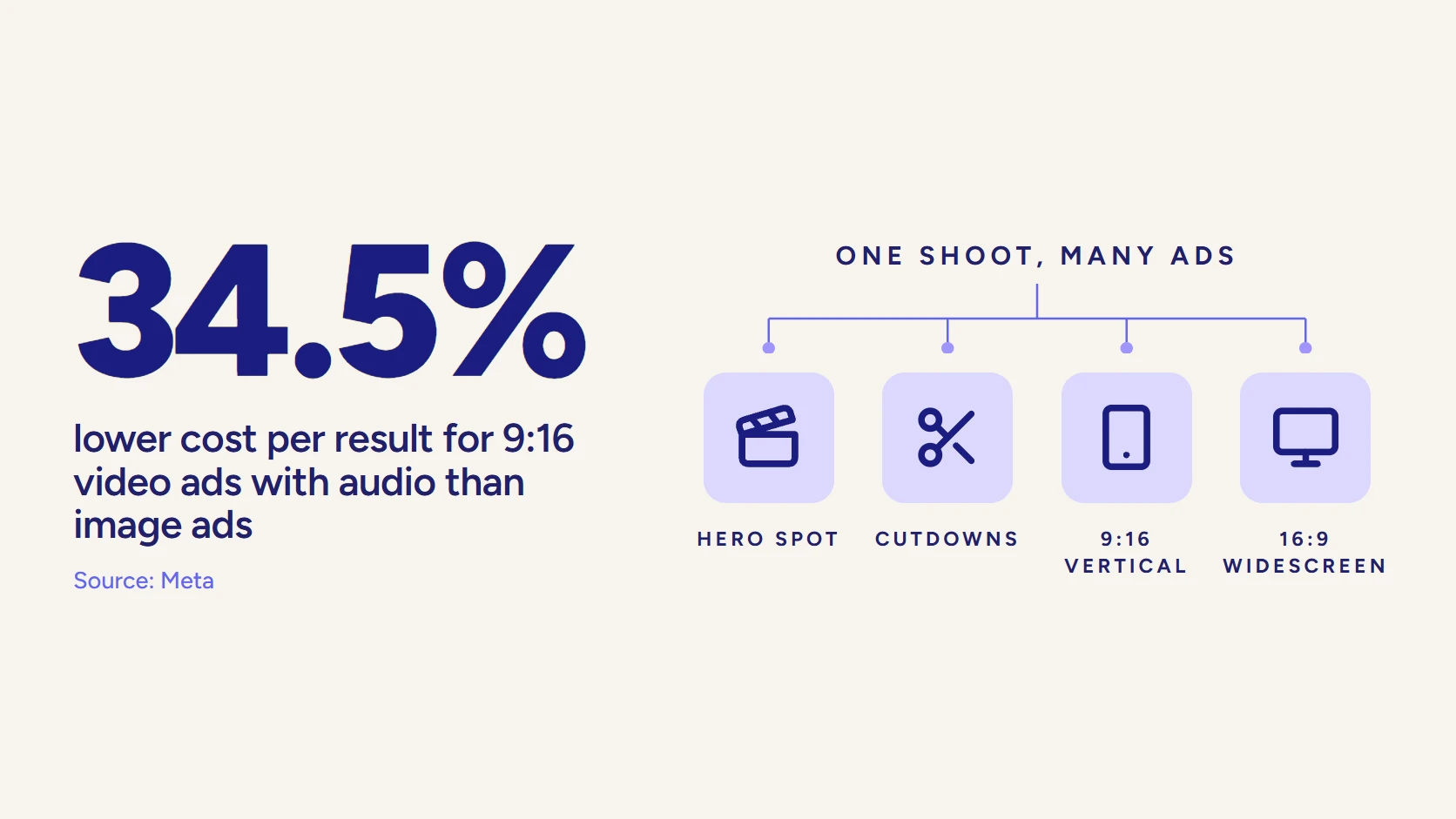
- Channel cutdowns: 15 and 30 second versions, square and vertical crops, captioned variants for LinkedIn, YouTube, and retargeting.
- A reusable design system: icon libraries, motion behaviors, typography rules, and transitions you can extend into future assets.
- Source files: the project files (often After Effects) so the work can be updated when your product, pricing, or interface changes.
That last item separates a studio from a freelancer with a template. Motion graphics is a frequently edited format because B2B products change. The deliverable that protects your investment is the editable project, not the export.
When Do Motion Graphics Beat Live Action and 3D for B2B, and When Do They Not?
No format is automatically better. The decision comes down to what the message has to do and whether the subject is information, a physical object, or human trust. Here is the call, made plainly.
Use a Motion Graphics Studio When
- The product is abstract: software workflows, data flows, API integrations, security logic, or a service no one can physically see.
- You need fast comprehension of a system or process, and the buyer has to get it before a sales call.
- The message will change. Pricing, interface, and positioning shift, and you need to update graphics without reshooting people.
- One core asset has to feed many channels as cutdowns, which motion-driven storytelling supports better than cinematic production.
Use Live Action When
- Trust, emotion, or credibility carries the message. Executive vision pieces, customer stories, and recruiting content usually perform better with real people on screen.
- You need a human face on a claim, a named customer vouching, or a leader the market already recognizes.
Use 3D Animation When
- The subject is a physical product with detail that dimension changes: a medical device, industrial equipment, or hardware with internal mechanics.
- The buyer needs to see cross-sections, assembly, or spatial interactions a flat graphic flattens out. For those jobs, 3D product animation earns its higher complexity and cost.
A useful tie-breaker: if you can explain the thing on a whiteboard with arrows and labels, motion graphics will nail it. If you need to hold the object and rotate it, that is 3D. If the point is that a real person believes it, that is live action. Many strong B2B campaigns use a hybrid, real people on camera with motion graphics overlaid to clarify the abstract parts.
One myth to retire: motion graphics and animation are not the budget alternative to live action. For complex product overviews and process explainers, they are the better creative choice, not the cheaper one.
Once you add storyboard revisions, design systems, and multi-format exports, a serious motion graphics project carries real cost. You are paying for clarity, not for a discount on a camera crew. If you want the longer version of this format decision, our breakdown of how to choose the right explainer video type walks through the same trade-offs by brief.
Which Use Cases Actually Move Pipeline Instead of Just Racking Up Views?
A view count is a vanity number. The motion graphics work worth funding does a specific job inside your demand gen and sales motion. These four pull the most weight in B2B.
1. Product and Platform Explainers
The classic use case. A 60 to 90 second explainer takes a complex platform and makes the core value legible in the first 30 seconds. This is where motion graphics earns its keep, because the format is built for software concepts and workflows that resist a literal demo.
Explainer content is also proven demand. A full 96% of people say they have watched an explainer video to learn about a product or service. The asset lives on a homepage or launch page and shortens the distance between landing and understanding.
2. Data and Abstract Concept Visualization
When the value proposition is a number, a trend, or an outcome, motion graphics turns it into something a buying committee can follow. Think cost savings over time, a benchmark against the category, or the mechanism behind a result.
Motion graphics is the strongest format for data visualization, enterprise workflows, and presentations because it delivers fast comprehension of systems and processes. Static charts get skimmed. A 20 second animated build of the same data gets understood.
3. UI Walkthroughs and Feature Explainers
Pure screen recording shows the interface but rarely shows the why. Motion graphics layered over UI captures (or stylized interface mockups) directs attention, labels what matters, and hides the clutter a raw recording exposes. This is the format for feature launches and onboarding where the product itself is the story.
It pairs naturally with product video production when you want polish above a plain capture. The added benefit is durability. When the UI updates, you adjust the motion layer instead of re-recording the entire flow.
4. Campaign Cutdowns and Paid Social
This is where motion graphics quietly outperforms. One core animation can become sales clips, paid media cutdowns, landing page modules, and onboarding assets.
That matters more every year because the channel mix has shifted. LinkedIn has overtaken YouTube as the leading channel for B2B video, and the average B2B video has compressed toward roughly 76 seconds as feeds reward concise, high-value content. Motion graphics is purpose-built for that environment: short, captioned, sound-off legible, and fast to re-cut. Animated content also tends to hold attention better than static posts, with marketers reporting meaningfully higher engagement from motion over static visuals.
Notice the through-line. None of these is judged on how the animation looks. Each is judged on whether the buyer understands faster and the asset earns its place in a channel that drives pipeline.
Motion Graphics Studio, Full Animation Studio, or In-House Designer: Which One Do You Need?
Three very different options sit behind the phrase “we need motion graphics.” Picking the wrong one is the most common and most expensive mistake. Here is what to expect from each.
A motion graphics studio specializes in information-driven animation: explainers, data, UI, and brand systems. It is the right call when the job is comprehension and the subject is abstract. Turnaround is faster than full animation because there are no characters to rig or worlds to build.
A full animation studio covers the wider craft: character animation, narrative 2D, and 3D. You want this when the concept needs a story with characters, or when physical and spatial realism is the point. It costs more and takes longer, and that overhead is wasted if all you needed was a sharp explainer.
An in-house designer is fine for lightweight, repeatable motion: a kinetic-type social clip, an animated logo, a simple chart build. The limit shows up on brand-critical work. A single designer rarely carries script strategy, storyboard discipline, voiceover direction, and multi-format delivery at the same time, and that is exactly where comprehension and consistency break down.
The table below makes the trade-offs concrete.
| Option | Best for | Main strength | Main limitation | Typical timeline |
| Motion graphics studio | Explainers, data, UI, brand systems for abstract B2B products | Fast comprehension of systems and processes | Limited emotional, character-led storytelling | 3 to 6 weeks |
| Full animation studio | Character stories, narrative 2D, physical and 3D realism | Range and craft depth | Higher cost and longer schedules | 6 to 12+ weeks |
| In-house designer | Lightweight, repeatable social and chart motion | Speed and low marginal cost | Thin on strategy, scale, and versioning | Days to 2 weeks |
One more distinction worth naming. Motion graphics is best for data and systems, but it is limited for emotional storytelling. If your campaign needs the audience to feel something about a person or a mission, do not force it into an information format.
Match the studio to the job, not to a trend. Our guide to B2B animation video production goes deeper on matching style to the communication problem.
How Do You Evaluate a Motion Graphics Studio for Enterprise Work?
Reels are easy to fake and easy to fall for. A studio can show a gorgeous showreel and still produce assets your buyers do not understand and your team cannot maintain. Evaluate on process and systems, not on the highlight clip. Use this checklist.
Process and Strategy
- They start with the message, not the software. Ask what their first deliverable is. If it is a mood board before a script, that is a red flag. Most motion graphics problems start before a single frame is animated, when teams pick references and palettes before defining the communication goal.
- They ask what the video needs to do, not what you want it to look like. The right partner pins the business objective, the audience, the decision stage, and where the asset will live before discussing style.
- They write the script and storyboard as a real deliverable you approve and own before production. That document is what prevents expensive rework downstream.
Revisions and Approvals
- Revision rounds are defined in writing. Motion changes look simple but often require cascading edits across scenes, timing, and voiceover sync, so vague revision terms get costly fast. Know how many rounds you get and when style locks.
- They build approval complexity into the timeline. Healthcare, financial services, and technical teams need legal and compliance review on claims and visuals. A serious studio asks about that on the first call.
Brand Systems and Ownership
- They build a reusable design system, not a one-off. Icon libraries, motion behaviors, typography rules, and transitions make every future asset faster and more consistent.
- You get the source files. Confirm in the contract that editable project files are yours. Without them you are renting your own content.
- They plan for versioning from the start, with hero, cutdown, and channel formats scoped up front rather than bolted on later.
A simple gut-check question to ask any studio: “How will we update this when our product changes in six months?” The good ones have a clear answer involving source files and a design system. The weak ones go quiet.
How Do You Turn One Motion Graphics Asset Into a Multi-Channel Campaign System?
The biggest waste in B2B video is treating a motion graphics piece as a single deliverable. The economics only work when one creative foundation feeds many placements. The strongest motion systems support paid media, sales enablement, onboarding, and website conversion at the same time.
Here is how one hero asset cascades:
- Hero (60 to 90s): homepage, launch page, or pitch. The full story.
- Paid cutdowns (15 to 30s): LinkedIn, YouTube, and retargeting, each captioned and sound-off legible.
- Sales enablement clips: single-concept segments AEs drop into outreach to explain one feature consistently.
- Website modules: short loops on feature and pricing pages that reduce the need for long copy.
- Onboarding and training: the same visual system reused to standardize education after the sale.
This is also why ownership and the design system matter so much. When buyers increasingly want to self-educate (Gartner found 61% of B2B buyers prefer an overall rep-free buying experience), the asset that explains your product across every channel becomes core infrastructure, not a campaign extra.
Build it once, build it editable, and extend it. That is the difference between a video and a system. It is the same logic behind our broader animation video production services: structure the work as a reusable campaign, not a one-off.
What Common Mistakes Waste a Motion Graphics Budget?
Most failures are decided before production starts. Watch for these.
- Over-designing a simple message. Extra motion, characters, and effects can make a message harder to follow. Sophisticated motion means nothing if the audience leaves confused.
- Forcing emotion into an information format. Motion graphics is weak at character-led, emotional storytelling. If the goal is trust in a person, use live action.
- Choosing by taste, not by job. Internal style preferences are a weak filter. The viewer does not care which look your team likes.
- Skipping the script. Animation that starts with software instead of the message produces assets that look good and explain little.
- Ignoring update needs. Hard-to-edit visuals create real cost the moment your product or pricing shifts. Plan the shelf life before you brief.
- Assuming animation is automatically faster or cheaper. Approvals, storyboard rounds, localization, and multi-format exports expand timelines.
Edge Cases Worth Flagging
AI animation tools are improving and can speed up ideation and lightweight content, but brand-critical communication still needs strategic scripting and production oversight. Treat AI as an accelerator on rough cuts, not a replacement for the studio on the asset your pipeline depends on.
And remember that live action is still the most-created video format among marketers (51%, versus 23% for animated), so motion graphics is a deliberate strategic choice, not the default. Choose it because the subject is abstract, not because it is trendy.
What Else Do B2B Buyers Ask About Hiring a Motion Graphics Studio?
What Is the Difference Between Motion Graphics and Animation?
Animation is the umbrella; motion graphics is one style within it, alongside 2D, 3D, stop-motion, and mixed media. The practical difference: 2D and 3D animation usually move characters and objects through a narrative, while motion graphics animates type, icons, charts, and interface elements to explain information. For abstract B2B products and data, motion graphics is the more direct tool.
How Much Does a Motion Graphics Project Cost?
Cost is driven by length, number of scenes, script complexity, the number of channel versions, and how much custom illustration the brand system needs. Revision rounds and compliance review also add up, because motion edits cascade across timing and voiceover. Premium B2B work is scoped as a multi-asset campaign rather than a single clip, which is where the real value sits. Ask any studio for a written scope tied to deliverables, not an hourly rate.
How Long Does a Motion Graphics Video Take to Produce?
A typical 60 to 90 second explainer runs about 3 to 6 weeks: script and storyboard, style frames, animation, then revisions and exports. Heavier illustration, multiple languages, or legal review extend that. Animation is not automatically faster than live action once approvals and multi-format delivery are added.
Do I Get the Source Files?
You should, and you should confirm it in the contract. Editable project files let you update the work when your product, pricing, or interface changes, which it will. Without source files you cannot maintain the asset, and motion graphics is a format you will want to revise over time.
How Do I Choose a Motion Graphics Style?
Start with the communication job, not a visual reference. Define the audience, the one idea the video must clarify, the decision stage, and where the asset will live, then let the studio recommend a style. Style chosen by internal taste is the most common reason a project misses.
Are Motion Graphics Good for LinkedIn and Paid Social?
Yes, and increasingly so. LinkedIn has overtaken YouTube as the leading B2B video channel, and shorter formats around 76 seconds now perform best. Motion graphics is built for that: captioned, legible with sound off, and quick to re-cut into 15 and 30 second variants from one master asset.
When Should I Use Live Action or 3D Instead?
Use live action when human trust, emotion, or credibility carries the message, such as executive or customer-story content. Use 3D when a physical product needs dimensional detail, cross-sections, or spatial context a flat graphic cannot show. Many campaigns blend live action with motion graphics overlays to get human trust and clear explanation in one asset.
Can a Motion Graphics Studio Handle a Full B2B Campaign?
The right one is built for it. Strong studios structure the work as a system: a hero asset plus paid cutdowns, sales clips, website modules, and onboarding versions from one creative foundation. If a studio only talks about the single deliverable and not the channel system around it, it is thinking too small for B2B.
How Do You Make the Message Work Before You Make It Move?
LocalEyes aligns the format, script, and deliverables to your buyer and your demand gen channels before anything gets animated, then builds assets engineered to drive understanding and pipeline. If you are weighing motion graphics for a launch, an explainer, or a campaign, book a discovery call and get an estimate. Tell us what the video has to do, and we will handle the thinking.

Founder at LocalEyes Video Production | Inc. 5000 CEO | Emmy Award Winning Producer