Fast answer
Key Takeaways
- A launch needs a system of videos, not one hero film: a teaser, a hero launch film, a product or demo video, a customer proof piece, and social cutdowns.
- Map each asset to a buyer stage so the launch works across awareness, consideration, and decision instead of peaking for one moment.
- Cut every asset into 15-second, 30-second, and 60-to-90-second variants for LinkedIn, YouTube, and retargeting.
- Match the format to the job: animation and motion graphics for complex products, live action for customer proof and executive trust.
- Premium B2B and SaaS launch programs typically run about $50,000 to $150,000 depending on the asset set, shoot days, and markets.
Most product launch videos fail in the same tidy way. A team ships one hero film, debuts it on launch day, watches the view count spike for an afternoon, then waits on a pipeline lift that never quite shows up.
The reason is simple enough: that single video is carrying an entire campaign on its back, and no one film can hold awareness, consideration, and decision at the same time. So it handles one of them passably and quietly drops the other two.
A modern B2B or SaaS launch is not a moment anyway. It is a sequence that runs for weeks, across LinkedIn, YouTube, your product pages, paid retargeting, and the sales floor, in front of buyers who are each standing at a different point in the decision.
Teams that see real return treat launch video as a system instead: a small, coordinated set of assets, each doing one job, each aimed at where the buyer actually is. This guide lays that system out, from what belongs in each piece to how you map assets to stages, what to put inside each one, which format fits which asset, and what a serious program costs.
Why Does One Launch Video Almost Never Do the Job?
One launch video rarely does the job because a launch has at least three audiences, each arriving with a different question, and a single film can answer only one of them well.
The Three-Audience Problem
Picture the three viewers who show up the week you launch, each carrying a different question you have to answer before they move.
- The cold prospect. Someone who has never heard of you needs a reason to care at all, which is an awareness job.
- The active evaluator. A prospect already comparing options wants to watch the product actually work.
- The late-stage buyer. Someone close to a decision needs proof that a real company got a real result.
Those are three questions, not one, and a hero film built to answer all three at once ends up aimed at none of them, because the hook that stops a cold prospect is not the demo an evaluator came for.
The Shelf-Life Problem
There is a second problem, and it is shelf life. A one-off film peaks on launch day and decays from there, because it rarely fits the aspect ratios and run times each channel rewards, so it gets posted once, natively, and then forgotten.
A system is built the other way around. The hero asset is filmed and structured so it can be cut into a teaser, a run of short social clips, a product-page loop, and retargeting ads, which turns one production into months of distribution. Here is the contrast laid out plainly.
| Dimension | Single hero film | Launch video system |
|---|---|---|
| Funnel coverage | One stage | Awareness through decision |
| Channels | One or two | LinkedIn, YouTube, site, retargeting, sales |
| Reuse | Limited | Cutdowns and versions for months |
| Outcome | A moment | A campaign that compounds |
None of this means every launch needs a five-figure film for each asset. It means the assets are planned together, from one brief and one shoot wherever possible, so the pieces reinforce each other instead of competing for the same budget.
Footage captured for the hero film becomes raw material for the teaser and the cutdowns, and the proof piece reuses the same visual language. A system spends the same money further, and that planning is the whole game.
What Videos Do You Actually Need for a Product Launch?
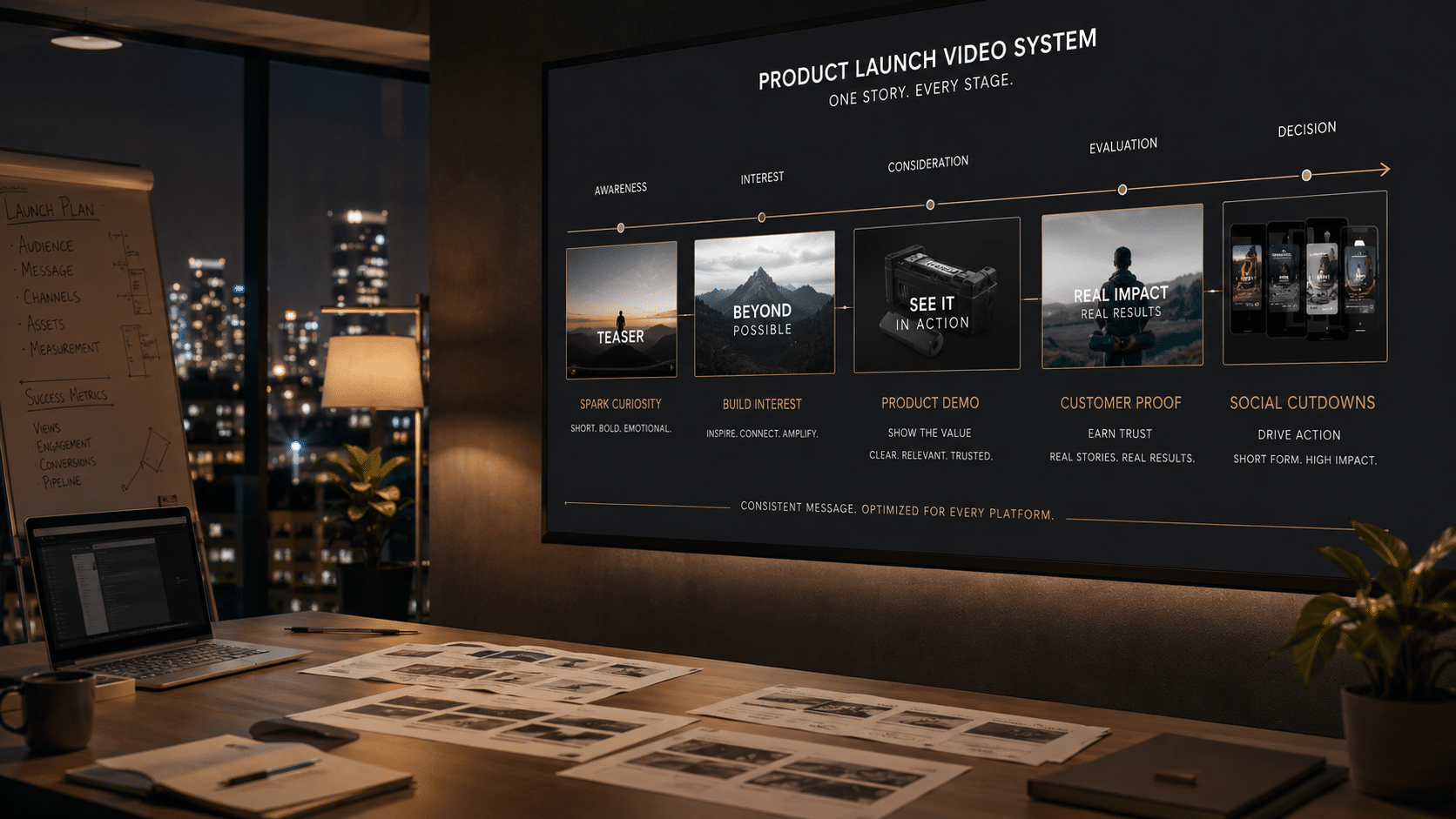
A launch system runs on five core assets: a teaser, a hero launch film, a product or demo video, a customer proof piece, and social cutdowns. Each answers a specific question a buyer is asking at a specific point.
You will not always need all five at full scale. The discipline is deciding, on purpose, which ones a launch can skip, rather than defaulting to one film because it is the easiest thing to brief.
The product launch video system
- TeaserShort, intrigue-first clip to build awareness before launch day.
- Hero launch filmThe flagship story that frames the product and the why.
- Product / demo videoShow the product working for the consideration stage.
- Customer proofEarly-adopter or beta story to earn trust at decision.
- Social cutdowns15s / 30s / 60-90s versions per channel for reach and retargeting.
Here is each asset in depth, in the order a buyer usually meets it, with the job it owns, the run time it wants, and where it earns its keep.
- The teaser. A short intrigue piece, usually 15 to 45 seconds, that runs in the pre-launch window across organic social, email, and event screens. It withholds the full reveal on purpose and trades on curiosity rather than explanation. This is where the launch really starts, because brands that warm an audience with consistent teaser content see materially higher engagement once the campaign goes live.
- The hero launch film. The flagship, most often 60 to 90 seconds, and the centerpiece of launch day. It opens on the customer’s problem, frames the value proposition, and introduces the product as the shift rather than a feature list. Treat it as the go-to-market anchor the rest of the system points back to, living on the homepage hero, the launch page, and paid social.
- The product or demo video. The consideration workhorse, typically 30 to 120 seconds, built to show the product working and pull the perceived risk out of a buying decision. For software, a SaaS product demo often pairs a motion-graphics explainer with a real screen recording so buyers see the actual interface. It belongs on product pages, in the launch email, and across retargeting.
- The customer proof piece. The decision-stage asset, usually 60 to 120 seconds of live action, in which a real early adopter or beta customer describes a real result. Its whole value is credibility, and a visible human on camera, especially a named executive, lifts B2B engagement measurably. It powers sales enablement, account-based marketing, and the case-study pages a buyer reads when close to committing.
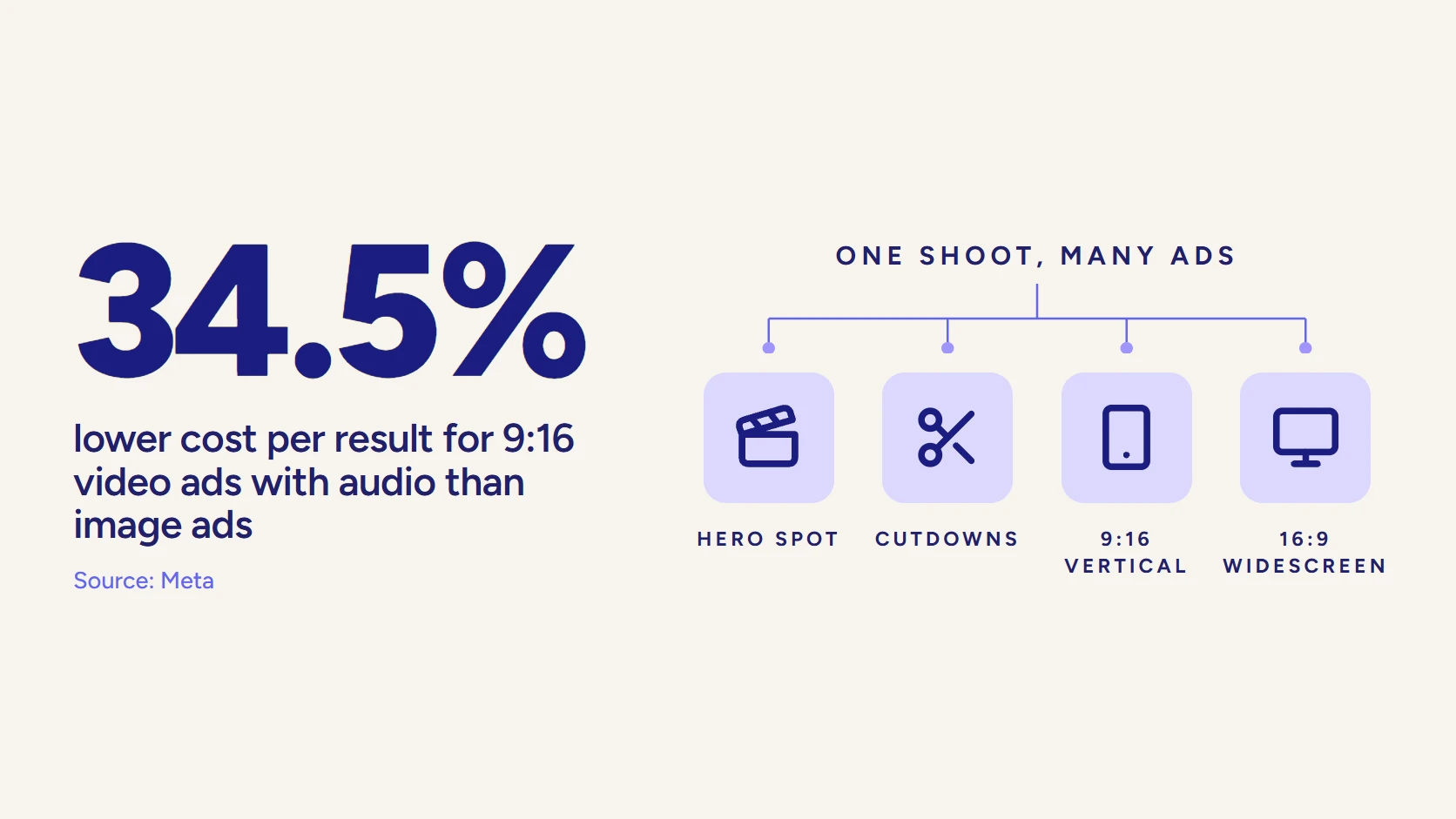
- The social cutdowns. Not one asset but a library, cut from the four above into 15-, 30-, and 60-to-90-second variants, formatted vertical or square with captions burned in and a hook inside the first five seconds. They add no new production cost once the footage exists, and they keep the launch in-feed for weeks while feeding retargeting long after launch day.
Read together, the five assets are a funnel in miniature. The teaser and hero film carry awareness, the product or demo video carries consideration, the customer proof carries decision, and the cutdowns extend the reach of all of them.
Skip one and you leave a gap the buyer has to cross alone. That gap is precisely where launches lose momentum.
How Do You Map Each Video to a Buyer Stage?
Map each video to a buyer stage by tagging every asset to the question a buyer is asking at that stage, then producing it to answer only that question. A launch date is a marketing milestone, not how a buyer experiences your product.
Some prospects meet you the week before launch and buy months later. Others have been waiting for exactly this. The videos have to meet each of them where they stand, which is why stage and job come before craft.
| Buyer stage | Lead asset | What it must do | Where it runs |
|---|---|---|---|
| Pre-launch anticipation | Teaser | Create curiosity, warm the audience | Organic social, email, event screens |
| Awareness | Hero launch film | Frame the problem and value proposition | Homepage hero, paid social, launch page |
| Consideration | Product / demo video | Show the product working, reduce risk | Product pages, launch email, retargeting |
| Decision / proof | Customer proof | Prove a real result with a real customer | Sales enablement, ABM, case-study pages |
| All stages | Social cutdowns | Extend reach, keep the launch in-feed | LinkedIn, YouTube, paid, retargeting |
What Stage Mapping Protects
Stage mapping is not just tidy planning; it quietly protects the budget by keeping each asset scoped to the job its stage actually requires.
- Budget discipline. An awareness teaser can be short and impressionistic, so it never needs the production weight of the hero film.
- Right-sized production. A consideration-stage demo has to be clear before it is anything else, which favors motion graphics or a clean screencast over a big shoot.
- Proportional spend. A decision-stage customer story only has to feel authentic and credible, so nothing gets over-produced for work that never called for it.
Tune the Cutdowns to the Segment
Knowing the target audience does the heavy lifting here. The same product pitched to a VP of Marketing and to a head of IT needs different hooks, different proof, and different language, even when the underlying footage is shared.
Version the cutdowns per segment and you can tune the first five seconds to the pain each buyer feels most, without reshooting a single frame.
What Should Be Included in a Product Launch Video?
Whatever the asset, the strongest launch videos share one spine: they open on the customer’s problem, not the product.
The Spine Every Launch Video Shares
They earn attention in the first five to ten seconds with a sharp hook, usually by naming a pain point or asking a question the viewer already feels. Only then does the product arrive as the answer, shown working enough to be believed, and closing on a single, clear call to action.
The most common mistake is leading with the company. Buyers do not care that your product exists. They care whether it solves something that is costing them time, money, or sleep. So the structure that holds across teasers, hero films, and demos runs like this.
- Open on the problem. Name the pain and the stakes the buyer already feels.
- Introduce the product as the shift. Position it as the change, not a spec sheet.
- Demonstrate the value. Show what it does, not an exhaustive feature list.
- Add a beat of proof. Slot in a result or customer moment when the run time allows.
- End on one ask. Choose a single call to action (“book a demo,” “start a free trial,” or “see it live”), never three competing ones.
Launch Video by the Numbers
How Long Should Each Asset Run?
Run time follows the stage, not the other way around. Verified 2026 length guidance points to a fairly tight band for each asset.
- Teaser. Well under a minute, most often 15 to 45 seconds, since its only job is intrigue.
- Hero launch film. Around 60 to 90 seconds, long enough to frame a problem and short enough to hold attention.
- Product or demo video. The 30-to-120-second band, scaled to how much the product needs to show.
- Social cutdowns. The 15-to-30-second range, where completion rates run highest.
Longer is not more persuasive; a tight 75-second film that respects the viewer’s time will almost always out-earn a three-minute one that narrates every feature.
How Much to Show Versus Explain
One inclusion call matters most for complex products: how much to show visually versus explain verbally. When the product is abstract, whether it is backend software, infrastructure, or a platform with no obvious visual, animation and motion graphics show the invisible in a way a camera never could.
If the product is tangible, or the story turns on a person, live action carries more trust. Most launch systems use both, which is the subject of the next section.
What Are the Most Common Product Launch Video Mistakes?
The most common product launch video mistake is leading with the company instead of the buyer’s pain point, and it quietly sinks more launches than any other. A film that opens on “we are excited to announce” has already lost the viewer who was never wondering about you to begin with.
Close behind it is asking one hero film to do the work of a whole campaign. When a single video has to serve a cold prospect, an active evaluator, and a late-stage buyer at once, it blurs into something that speaks to none of them. The call between one film and a full system is really a judgment about the launch itself.
A Single Hero Film: Where It Works and Where It Fails
Strengths
- A minor feature update aimed at an audience that already knows you
- A launch that lives on one channel for one buyer segment
- A short internal or sales-only clip with a single, bounded job
- A tight budget where one clear asset beats five thin ones
Watch-outs
- A multi-stage launch that has to carry awareness, consideration, and decision
- A cold audience with no pre-launch warm-up
- Several buyer segments that each need a different hook and proof
- A rollout across LinkedIn, YouTube, product pages, and retargeting at once
Three more mistakes show up again and again in B2B launches, and each one strands value the team already paid for.
- Skipping the teaser. The hero film then debuts to a cold audience that has no reason to care yet.
- Leaving cutdowns to the last minute. Months of distribution stay trapped inside one long master file.
- Over-producing the wrong asset. A five-figure shoot goes to a demo that a clean screencast would have explained better.
The through-line is skipping the target-audience question. When the same launch is pitched to a VP of Marketing and a head of IT without changing the hook or the proof, the video defaults to generic, and generic is what buyers scroll past. Decide who each asset is for before anyone writes a script, and most of these problems never form.
Animated or Live-Action: Which Format Fits Each Asset?
Format is not a brand-wide decision; it is a per-asset one, made against what each video has to accomplish. A launch system almost always mixes formats, and the mix is the point.
For each asset, ask one question: is the job to make something abstract clear, or to make something human credible? The honest answer usually differs from asset to asset.
When Animation Wins
Animation and motion graphics win when the product is complex or invisible. They turn a data flow, an integration, or a user interface into something a viewer can follow, and they scale into clean, on-brand explainer and demo content without a shoot.
For SaaS and platform launches, the product or demo video is frequently a motion-graphics or animated explainer, sometimes paired with a screen recording so buyers see the real interface. Our guide to SaaS product videos for B2B teams walks through when each demo style fits.
When Live Action Wins
Live action wins when the job is trust. A customer proof piece works because a real person, on camera, in a real setting, beats any animation for believability.
Research on B2B video engagement is consistent here. A visible human in the frame, and especially a subject-matter expert or executive, lifts engagement measurably, because buyers read a real face as accountability. That is why the decision-stage asset is usually filmed, even when the rest of the system is animated.
The hero launch film can go either way, and often blends the two. A strong pattern borrowed from modern B2B brand video is live-action storytelling for the problem and the human stakes, cut with motion graphics for the moments a camera cannot capture. Choose per asset, deliberately, and do not default the whole launch to one look because it is cheaper to brief.
| Asset | Common best-fit format | Why |
|---|---|---|
| Teaser | Live action or motion graphics | Emotion and intrigue, minimal explanation |
| Hero launch film | Live action, often with motion-graphics inserts | Story plus the moments a camera cannot show |
| Product / demo video | Motion graphics, animated explainer, or screencast | Makes complex or invisible products clear |
| Customer proof | Live action | A real person and result builds trust |
| Social cutdowns | Repurposed from the above | Reuse footage, reformat per channel |
How Much Does a Product Launch Video Cost?
Cost is the question the example roundups skip, and the one marketing leaders ask first. The honest answer depends on how the program is scoped, and three variables move the number most.
- Asset count. How many of the five core assets you actually build.
- Shoot days. How many production days the set requires.
- Markets and segments. How many versions you cut for different regions and buyers.
A single explainer is one number, and a coordinated system that carries a product across the funnel is another that deserves to be judged as a program, not a line item. At LocalEyes Video Production, launch work is packaged as multi-asset campaigns rather than one-off deliverables, because a launch is a campaign.
| Package | Investment | Best for |
|---|---|---|
| Brand campaign | $50K | Single hero film + channel cutdowns |
| Growth campaign | $75K | Hero plus supporting assets across the funnel |
| Multi-asset campaign | $100K | Several formats, multiple markets |
| Enterprise campaign | $150K | Full multi-market, multi-stage rollout |
These are premium ranges for engineered B2B campaign work, not the floor of the market. You can produce a launch video for far less, and plenty of tools and freelancers will. But a launch that has to drive pipeline for a mid-market or enterprise product is a poor place to chase the lowest bid.
The blended cost of a focused asset set lands most often in the $20,000 to $45,000 range, scaling into the tiers above as the number of formats, markets, and segments grows.
Why the System Is the Efficient Buy
The efficiency argument is reuse: one coordinated shoot and one creative brief yield the hero film, the teaser, the demo support, and a library of cutdowns that keep working for months across demand generation, sales enablement, and retargeting.
Judged per use rather than per asset, a well-built system is usually the most efficient video spend a launch can make, because the marginal cost of another cutdown or another segment version is small once the footage exists. That is the lens our guide to measuring B2B video ROI applies to a whole program rather than a single film.
Video that has to work?
Book a discovery call with LocalEyes Video Production and start from the goal, not the brief.
How Do You Measure a Product Launch Video’s Success?
Measure a product launch video by the job each asset was built to do, not by a single view count on the hero film. One number spread across five assets hides what is actually driving pipeline and what is only driving impressions.
Break the Metrics Out by Stage
Each asset earns its keep against a different signal, so judge each one on the metric that maps to its stage.
- Teaser. View-through rate and pre-launch signals like waitlist or event registrations.
- Hero film. Reach, engagement rate, and any lift in branded search during the launch window.
- Product or demo video. Demo requests, trial starts, and how long buyers stay on the pages it sits on.
- Customer proof. Its influence in late-stage deals and how often sales actually sends it.
- Social cutdowns. Cost per view, click-through, and completion rate by channel.
For a pipeline-accountable leader, one number outranks all of these: influenced pipeline, the deals that touched a launch asset on their way to a decision. That is the lens our guide to marketing a product through video applies, and it is the metric that tells you whether the launch built a campaign or just a moment.
How Do You Launch the System Across Channels?
A launch system only pays off if it ships in the right shape to each channel, which means the cutdowns are planned from the start, not carved out in a panic the night before launch.
Ship Each Asset in the Right Shape
Native video that autoplays in the feed reaches far more people than a link to an external player, and each platform distributes video on its own terms. Before an asset ships, three things have to be true.
- Right ratio. Export square or vertical for the mobile feed, not a stray landscape cut.
- Captions burned in. Most social video is watched on mute, so the message has to land silently.
- Hook in five seconds. The opening beat has to earn the next five seconds, every time.
Sequence Across the Launch Window
Then sequence the assets across the launch window so the campaign compounds instead of spiking and fading.
Sequencing the Launch Across the Window
- Pre-launchRun the teaser to warm the audience, because a warmed audience converts better on launch day than a cold one.
- Launch dayLead with the hero film on the homepage, the launch page, and paid social.
- Consideration waveFollow with the product or demo video on product pages and in the launch email.
- SustainKeep the customer proof and the cutdowns in rotation for weeks, feeding retargeting and sales outreach.
Run the teaser in the pre-launch phase to build anticipation, because a warmed audience converts materially better on launch day than a cold one. Lead launch day with the hero film on the homepage, the launch page, and paid social.
Follow with the product or demo video on product pages and in the launch email, for the buyers who have moved to consideration. Then keep the customer proof and the cutdowns in rotation for weeks, feeding retargeting and sales outreach, so the launch keeps working long after launch day.
This is where a launch benefits from being planned as a whole rather than assembled asset by asset. When one team owns the goal, the brief, and the shoot, the system stays consistent: one visual language, one message architecture, one call-to-action logic across every stage.
That is the difference between a vendor who produces the film you asked for and a partner who decides what the launch needs, produces it, and packages it for every channel. It is the same distinction we draw in our guide to the best product video companies for B2B and SaaS.
So here is the move: teams that win launches start from the goal, not the format. They decide what pipeline the launch has to create, work backward to the assets that create it, map each asset to a buyer stage, and produce the set as one coordinated system.
If you are planning a launch and weighing whether one film is enough, that backward-from-the-goal conversation is the right place to start. It is exactly where a launch built as a system starts to pull ahead of one built as a moment.
Video that has to work?
Book a discovery call with LocalEyes Video Production and start from the goal, not the brief.
Frequently Asked Questions
What is a product launch video?
What videos do I need for a SaaS launch?
How long should a product launch video be?
How much does a product launch video cost?

Founder at LocalEyes Video Production | Inc. 5000 CEO | Emmy Award Winning Producer