
Fast answer
Key Takeaways
- The five core families are 2D, 3D, motion graphics, stop-motion, and mixed media; most business video lives in the first three.
- Match the style to the job: 2D or motion graphics to explain, 3D to show a product, whiteboard for training, mixed media for a brand hero.
- Typical cost runs about $3,000-$8,000 per finished minute for 2D, $2,000-$6,000 for motion graphics, and $8,000-$20,000+ for 3D.
- Budget roughly 3-6 weeks for a one-minute 2D piece; 3D and stop-motion take longer.
- The best style is the one that does the job. Decide what the video must accomplish before you fall in love with a look.
“Animation styles” sounds like one thing. It is really a whole family of crafts that happen to share a screen, and the one you pick decides your budget, your timeline, and whether the finished video does the job you hired it for.
Picture a whiteboard explainer next to a photoreal 3D product film. Both are animation, yet almost nothing about how they get made, or what they are good at, is the same.
This guide walks 28 animation styles worth knowing, what each does best, what it tends to cost, and, above all, how to choose. If you run marketing and you need a video to explain a product or move a buyer, read the choosing, cost, channel, and B2B sections most closely. First, the map.
What Are the Main Types of Animation Styles?
Nearly every animation you will ever commission is one of five families, or a deliberate blend of two, and grouping the field this way makes the whole thing far easier to reason about.
The Animation Landscape at a Glance
- 2D animation. The broadest and most common family for business video, covering hand-drawn cel work, vector motion, character animation, and rotoscoping. It is flexible, relatively fast, and readable on any screen, which is why most explainer and social work lives here.
- 3D animation. Also called CGI, it builds objects and characters in three-dimensional space and lights them like a real set. Reach for it when you need realism, depth, or a physical product shown from every angle, and budget for the most resource-intensive family in both cost and time.
- Motion graphics. Animated design elements, type, icons, charts, and brand systems rather than characters. When you have data, a process, or a value proposition to make legible, nothing turns it into something a viewer can follow faster.
- Stop-motion. Physical objects photographed one frame at a time, the family that holds claymation, puppet animation, and cutout work. It is tactile and distinctive, and audiences respond to the handmade quality, though it is slow and painstaking to produce.
- Mixed media. Two or more of the above combined, often motion graphics over live action or 2D characters dropped into a filmed scene. A lot of standout brand and social work happens here, because the combination simply feels fresh.
The 28 Animation Styles, Explained
Here are the styles you will actually run into, grouped by family, each with what it is, how it looks, what it tends to cost, and what it is best for. The first twenty are the workhorses; the final eight are hybrid, crossover, and specialist looks worth knowing when a brief calls for something distinct.
2D Animation Styles
- Traditional (cel) animation. The original hand-drawn approach, each frame drawn in sequence, carrying a warmth and craft that newer methods keep trying to imitate. Drawing every frame by hand puts it at the slower, costlier end of 2D. Best for brand pieces that want a handmade, timeless feel.
- Vector 2D animation. The clean, flat, scalable style built in tools like Adobe After Effects, and the one behind the majority of modern explainers. Shapes are rigged and tweened rather than redrawn, so motion stays smooth and revisions stay quick and affordable. Best for explainers, onboarding, and social.
- 2D character animation. Vector or drawn characters with real personality, rigged so they can act, gesture, and lip-sync. That emotional anchor is what a viewer still remembers a week after the video ends. Best for brand mascots, story-led explainers, and recruiting.
- Whiteboard animation. A hand appears to draw the story on a white surface as the narration unfolds. Watching a sequence get drawn in real time is unusually good at teaching, and it stays one of the most budget-friendly styles to produce at length. Best for training, education, and step-by-step processes.
- Kinetic typography. Animated text that moves in time with a script, voiceover, or music, so the words themselves become the visual. It is punchy, fast to produce, and legible with the sound off, which is exactly what feed-based social rewards. Best for social clips, quote-driven pieces, and title sequences.
- Rotoscoping. Animators trace over filmed footage frame by frame, producing lifelike motion under a stylized surface. It bridges live action and animation, and because it is painstaking, teams save it for looks nothing else can reach. Best for music-video aesthetics and distinctive brand films.
- 2D cutout animation. Flat, jointed characters moved like paper puppets, for a crisp, graphic look that animates efficiently at volume. Assets get reused rather than redrawn, which makes it well suited to series work. Best for stylized explainers and episodic content where speed matters.
- Anime-influenced animation. The Japanese-rooted anime style, all expressive characters, dynamic action, and dramatic framing. It signals a specific cultural energy that younger and adult audiences pick up on instantly. Best for gaming, entertainment, and youth-facing brands.
3D Animation Styles
- 3D CGI animation. Full three-dimensional characters and worlds, modeled, lit, and rendered for depth and realism. It is the highest-production-value family and the most flexible for camera movement, and also the most expensive and time-intensive to produce. Best for hero films, entertainment, and premium brand work.
- 3D product animation. Photoreal renders of a physical product that rotate, cut away, and reveal internal mechanisms no camera could reach. For hardware you cannot easily film, or that does not exist yet, this is often the only way to show the thing at all. Best for manufacturing, hardware, medical devices, and launches.
- Isometric animation. A clean 3/4 perspective that shows systems, floor plans, and data landscapes from an elevated angle. It reads as modern and technical, and it lets you show how the pieces of a platform connect. Best for SaaS, infrastructure, and platform explainers.
- 3D character animation. Rigged three-dimensional characters that act with weight, nuance, and physical presence. The emotional payoff rivals 2D character work, at a noticeably higher cost and longer timeline. Best for brand mascots, games, and story-led campaigns with the budget to match.
Motion Graphics Styles
- Motion graphics. Animated design, type, icons, and shapes that explain without characters. It is the default for turning an abstract idea, a process, or a value proposition into something a viewer can follow. Best for B2B explainers, product marketing, and social.
- Infographic and data animation. Charts, numbers, and statistics brought to life so a viewer follows the story in the data instead of decoding a static graph. Motion controls the order in which numbers land, the one thing a static chart can never do. Best for reports, results, and thought leadership.
- Logo and brand animation. Short, polished pieces that animate a logo or brand system, used as stings, intros, and outros. Built once, they lend consistency to every other video a team ships. Best for brand identity across a full video system.
- UI and screencast animation. Clean, animated recreations of a product interface that show exactly how software works, minus the clutter of a raw screen recording. Rebuilding the UI in motion means the demo does not date the moment the product ships an update. Best for SaaS demos, feature launches, and onboarding.
Stop-Motion Styles
- Claymation. Characters sculpted from clay and moved frame by frame, with a tactile, handmade charm that stands out in a feed of flat video. It is slow and physical, and that scarcity is part of why it reads as premium. Best for craft-forward brand and social pieces.
- Puppet and model animation. Physical puppets or models on real miniature sets, photographed one frame at a time. Real light and real materials give it a cinematic, artisanal quality that CGI spends heavily trying to fake. Best for premium brand storytelling.
- Cutout stop-motion. Paper or fabric cutouts moved and photographed physically, for a handmade, collage-like texture. You get the charm of stop-motion at a friendlier cost than clay or puppets. Best for distinctive, craft-forward looks on a tighter budget.
Mixed Media
- Mixed media and live-action hybrid. Two or more techniques combined, most often motion graphics or 2D characters layered over filmed footage. The contrast between real and animated pulls the eye and lets a real product share the frame with animated explanation. Best for brand heroes, social campaigns, and product films.
Hybrid and Crossover Styles
- 2.5D (parallax) animation. Flat 2D layers separated in depth and moved past a virtual camera, so a still illustration gains dimension without the cost of full 3D modeling. It reads richer than flat 2D while staying faster and cheaper than true CGI. Best for premium explainers and title sequences on a mid-range budget.
- Frame-by-frame animation. Every frame drawn individually rather than tweened between keyframes, producing fluid, organic motion that rigged vector work cannot match. It is labor-intensive and priced accordingly, so teams spend it where the movement itself is the point. Best for high-craft brand films and expressive character moments.
- Cel-shaded (toon) 3D animation. Built in 3D, then rendered with flat, outlined shading so it reads like hand-drawn 2D while keeping full 3D camera freedom. Graphic surfaces and dimensional moves live in the same shot. Best for stylized product and brand pieces that want a distinctive look with real camera motion.
- Motion capture animation. A performer’s real movement recorded and mapped onto a 3D character, producing natural body language that would take far longer to key by hand. It shines when realism and volume both matter. Best for lifelike character work, games, and premium 3D campaigns.
Specialist and Craft Styles
- Pixel art animation. Deliberately low-resolution, grid-based artwork with a retro, game-inspired charm. With the right audience, that nostalgia does real work. Best for gaming, developer tools, and brands courting a tech-native crowd.
- Sand animation. Sand moved and photographed on a lit surface, each shift forming the next image in a single flowing performance. The result is fluid, emotional, and unmistakably handmade. Best for story-driven brand films and cause-led campaigns.
- Silhouette animation. High-contrast figures in solid shadow moving against a bright background, an old technique that still reads as striking on a modern screen. Its restraint is the whole appeal. Best for distinctive brand storytelling and title cards.
- Pixilation. Live people or real objects shot one frame at a time so humans move like stop-motion puppets, blending live action and animation into something playful and a little strange. Best for experimental social and standout brand moments.
2D vs 3D vs Motion Graphics: How Do They Differ?
These three cover the large majority of business animation, and buyers mix them up constantly. The differences that actually change a decision come down to three things: cost, timeline, and what each is genuinely good at.
| Consideration | 2D animation | 3D animation | Motion graphics |
|---|---|---|---|
| Best for | Explainers, story, character | Product, realism, depth | Data, UI, brand systems |
| Typical cost / finished min | $3K-$8K | $8K-$20K+ | $2K-$6K |
| Production time (1 min) | 3-6 weeks | 6-12 weeks | 2-4 weeks |
| Strength | Warmth, flexibility | Realism, wow-factor | Speed, clarity, scale |
| Watch-out | Can feel generic if flat | Cost and timeline | Less emotional |
Here is the short version. Reach for 2D when the story leads, 3D when the product leads, and motion graphics when the information leads.
Plenty of strong pieces use two of the three at once. A 2D explainer with a short 3D product shot, or a live-action opener with a motion-graphics payoff, shows up all the time. If you are weighing the first two against each other, our guide to 2D vs. 3D animation goes deeper on the trade-off.
Cost is usually the tiebreaker. As a rough industry benchmark, motion graphics tend to be the most economical per finished minute, 2D sits in the middle, and 3D runs several times higher for comparable length. If a physical product never needs to appear on screen, that math alone often settles it, and our breakdown of explainer video cost lays out where the money actually goes.
How Do You Choose the Right Animation Style?
Choose by the job, not the look. Decide what the video must accomplish and where it will run, and the answer usually points straight at a style.
The most common misfire is falling for a style because it looks impressive, then discovering it does not fit the message or the channel. Two quick questions head that off. What does this video have to accomplish? And where will it run?
| Your goal | Best-fit style | Why |
|---|---|---|
| Explain a product or concept | 2D / motion graphics | Fast, clear, cheap to iterate |
| Show a physical product | 3D | Realistic depth and detail |
| Training or process | Whiteboard / 2D | Step-by-step clarity |
| Brand or social hero | Mixed media / motion graphics | Distinct, on-brand, scroll-stopping |
| Turn data into a story | Motion graphics | Numbers become narrative |
For marketing teams, a buyer-stage lens sharpens the call further. An awareness piece can afford to lead with craft and emotion, so a distinctive mixed-media or 3D hero earns its keep there.
A consideration-stage explainer needs clarity above all, which favors 2D and motion graphics, while a proof-stage customer story is usually live action with motion-graphics support. Match the style to the stage and the spend stays proportional to the job. If you are still deciding on format before look, our guide to choosing the right explainer video type is the companion piece to this one.
Which Animation Styles Are Trending in 2026?
Four directions are shaping current work: 2.5D depth, tactile texture, type-led social, and AI-assisted production. Style is not fashion exactly, but audiences drift, and a look that felt fresh three years ago can read dated now.
- 2.5D and parallax are rising. Teams want the depth and polish of 3D without the 3D budget, and layered 2D moved through a virtual camera splits the difference convincingly. Expect more of it in brand explainers this year.
- Texture is back. Flat, sterile vector work is giving way to grain, paper, and analog imperfection layered over clean motion graphics, a pushback against the sameness of default templates. That handmade signal reads as premium.
- Kinetic typography keeps winning on social. Sound-off viewing rewards words that carry the message on their own, so short, bold, type-led cutdowns now handle a lot of the top-of-funnel work.
- AI is speeding up the rough stages. Generative tools accelerate storyboarding, animatics, and asset variations, but the strategy, the script, and the final craft still decide whether a video performs.
We mapped where that last line sits in our take on AI versus human animation for B2B brands.
How Do You Match an Animation Style to Your Channel?
Match the craft to the context, because where a video runs should shape how it looks as much as what it says. A style that sings on a landing page can fall flat in a paid feed.
| Channel | Best-fit style | Why it works there |
|---|---|---|
| Paid social and feeds | Motion graphics / kinetic type | Lands the message sound-off in the first seconds |
| YouTube pre-roll and demand gen | 2D character / motion graphics | Hooks early, pays off one clear idea |
| Website and landing pages | 2D / motion graphics explainer | Clarity beats spectacle for a chosen viewer |
| Sales enablement and trade shows | 3D product / isometric | Shows the thing a slide never could |
Read the table as a rule of thumb rather than a law. The through-line is intent. A viewer who chose to watch will sit through clarity, while a scrolling feed rewards a style that lands in the first two seconds. Worth remembering, too, that animated corporate video often outperforms live action exactly where the subject is abstract or hard to film.
Which Animation Style Best Explains a Complex Product?
For a genuinely complex product, let motion graphics and 2D carry the explanation, and add a 3D or isometric layer only where the viewer has to see how the thing physically works.
Complexity is a clarity problem before it is a visual one. The job is to strip the idea down to the few moves that matter, then let motion reveal them in sequence, which is what motion graphics do better than any other style.
- A physical object with internal parts. Add 3D. A cutaway that rotates and peels back a housing shows in five seconds what a paragraph of copy cannot, and it is the one case where the extra 3D budget reliably pays for itself.
- A software platform. Reach for isometric and UI animation. An elevated 3/4 view maps how modules connect, and a clean animated interface shows the real flow without dating to a single release.
- The human story around the product. Save character animation for that, not for the mechanics. People remember a character; they rarely remember a rigged gear.
Rule of thumb: explain the concept in 2D or motion graphics, and reach for dimensional styles only in the moments a flat frame genuinely cannot carry.
What Actually Goes Into an Animation Project?
Almost every animation, whatever the style, moves through the same five stages. Understanding them explains both the cost and the timeline, and it shows where your input matters most.
The Five Stages of an Animation Project
- Script and conceptThe words come first. A tight script that knows what the video must do is the single biggest predictor of whether the finished piece works.
- Storyboard and style framesThe team locks the look, the color, and the type. Approving here is the cheapest place to make changes; a revision costs minutes, not days.
- Voiceover and designThe voice track is recorded and every asset, characters, backgrounds, and icons, is designed to match the approved style.
- AnimationThe assets come to life, timed to the voiceover and the music. This is the stage most people picture, and usually the longest.
- Sound design and deliveryMusic, effects, and a final mix add polish, then the piece is exported into the channel-ready cutdowns each platform needs.
Notice that the words come first. A tight script that knows what the video must do is the single biggest predictor of whether the finished piece works, and it is where a good partner pushes back before anyone opens a design tool. Writing the first draft yourself? Our animation script tips cover the pitfalls that cost you later.
The practical takeaway for a buyer is simple. Your fastest levers are the script and the style frames. Lock those two early and the rest of the project runs on schedule.
How Much Does Animation Cost, and How Long Does It Take?
Animation runs roughly $2,000 to $20,000-plus per finished minute depending on style, and a one-minute 2D piece takes about 3 to 6 weeks. Pricing is the question most competitors’ lists skip, and the one buyers care about most.
Cost is driven by style, length, and complexity, and it is almost always quoted per finished minute.
- 2D explainer. About $3,000 to $8,000 per finished minute, the middle of the market and the default for most business video.
- Motion graphics. About $2,000 to $6,000 per finished minute, usually the most economical of the three.
- 3D animation. From roughly $8,000 into the $20,000s per finished minute, the premium end, priced for realism and depth.
On timeline, a one-minute 2D explainer typically takes about 3 to 6 weeks from kickoff to delivery. Motion graphics can move faster, while 3D and stop-motion run longer.
The stages that eat the most time are scriptwriting and style-frame approval, not the animation itself, which is why locking the script and the look early is the surest way to protect a deadline. The full animation production process breaks each stage down if you want the detail.
One reason animation earns its cost is reuse. A single well-built explainer can support demand generation, sales enablement, onboarding, and social for years, and it re-versions into shorter cutdowns without a reshoot. Judged per use rather than per project, it is often the most efficient format a marketing team can buy.
What Should You Look For in an Animation Studio?
Judge the studio, not just the style. Hand the same brief to two teams and you can get one video that converts and one that quietly disappears, and the difference is rarely the software.
- Work in your exact style. Ask to see the specific style you want, not a general reel. A studio strong in motion graphics is not automatically strong in 3D character work, and a portfolio proves the claim faster than a sales call ever will.
- A goal-first conversation. A partner worth hiring asks what the video needs to accomplish and where it will run before talking look, timeline, or price. A vendor who leads with a style menu is selling production, not outcomes.
- Clear process and revisions. Defined stage gates, set revision rounds, and channel-ready deliverables separate a studio that ships on schedule from one that drifts.
For enterprise buyers, our guide to choosing an animation studio for enterprise video and our roundup of top 2D animation companies are useful shortlists to work from.
What Are the Most Common Mistakes When Choosing a Style?
Most style regret traces back to three avoidable errors, and knowing them up front saves a budget.
- Choosing a look before defining the job. A style picked because it is impressive, rather than because it fits the message and the channel, is the single most common misfire. Decide what the video must do first.
- Over-buying the production. Reaching for premium 3D when a clean 2D explainer would convert just as well spends budget on production value the audience will not reward. Match the spend to the stage of the funnel.
- Under-planning the script. Teams pour money into animation and starve the writing, then wonder why a beautiful video moves no one. The script is where the video is won or lost.
Our B2B animation production guide walks the full sequence that keeps a project on track.
Video that has to work?
Book a discovery call with LocalEyes Video Production and start from the goal, not the brief.
Which Animation Styles Work Best for B2B?
For B2B marketing teams, the winners are usually 2D explainers, motion graphics, and, when a physical product is involved, 3D. They are clear, they scale into channel-ready cutdowns, and they hold up in the demand-gen and sales contexts where the video actually gets watched. The deciding factor is rarely the style itself. It is whether the team behind it understands what the video needs to do before they decide how it will look.
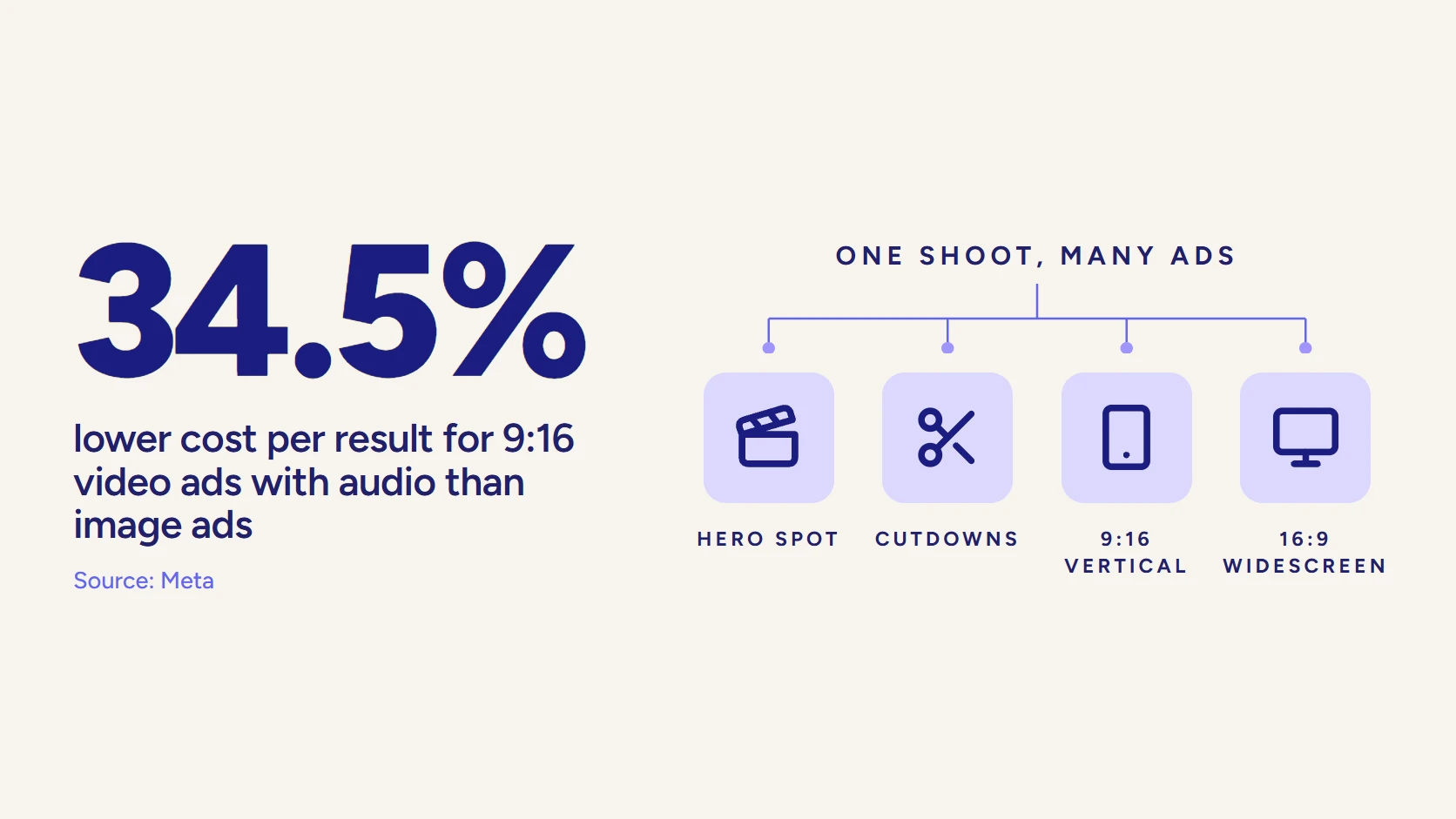
There is a second reason style matters less than teams assume. A well-made animation is rarely a single deliverable. The same core piece can be re-versioned into a 15-second social cutdown, a 30-second paid ad, and a 6-second bumper, each holding the same look and message. That reuse is where animation earns its budget for a marketing team, and it depends far more on how well the piece was planned than on which named style sits on top.
Style choice also has to survive contact with a spreadsheet. A CFO does not ask which animation style you used. They ask what it returned. Tie the piece to a metric before production starts, whether that is demo requests from a landing page, completion rate on a paid unit, or velocity through a sales cycle, then judge the style by whether it moved that number. Our guide to measuring B2B brand video ROI lays out which metrics actually hold up in a review.
Read the room on production value, too. An enterprise buyer evaluating a six-figure platform reads a cheap-looking explainer as a signal about the product itself, so the polish of the style carries meaning well beyond aesthetics. Matching the finish to the price point of what you sell is part of the job.
So the deciding factor comes back to one thing: whether the team behind the work understands what the video needs to do before they decide how it will look. That is the line between a vendor who animates a brief and a partner who builds video that performs. For a deeper look, see our animated explainer video guide, the animation video production process end to end, and a shortlist of award-winning animation studios in New York. If you are weighing a style for a specific launch or campaign, that is the right moment to talk with a team that starts from the goal, not the look. That is exactly how LocalEyes Video Production approaches every animation brief.
Video that has to work?
Book a discovery call with LocalEyes Video Production and start from the goal, not the brief.
Frequently Asked Questions
How much does animation cost per minute in 2026?
What software is used to create 2D animation?
How long does it take to produce one minute of animation?
How do I choose the right animation style?
Is animation worth the investment for B2B businesses?

Founder at LocalEyes Video Production | Inc. 5000 CEO | Emmy Award Winning Producer