Fast answer
Key Takeaways
- Animation beats live action when the subject is invisible, unbuilt, abstract, or unsafe to film: internal mechanisms, software, chemistry, or a product still on the roadmap.
- 2D explains a process, 3D and CGI show a physical product no camera can reach, and motion graphics turn data and interface into motion.
- The animation pipeline runs script, storyboard, style frames, animatic, modeling, animation, lighting and render, then sound; the animatic is where pacing gets fixed cheaply.
- Most animated B2B videos take 8 to 12 weeks, driven by style, length, character rigging, and revision rounds, not by any shoot day.
- A LocalEyes Video Production animation program is scoped to the finished asset set inside a $6,000 to $20,000 engagement, with a single video from $3,000.
Every animation project starts with a decision most briefs skip. Should this video be filmed, or drawn?
A camera is the right answer more often than agencies admit. It is also the wrong answer for a whole class of subjects that matter enormously to B2B marketing: software that lives on a screen, a machine’s hidden internals, a molecule, a network, a product that does not exist yet.
Those are the moments animation stops being a style choice and becomes the only way to show the thing. A camera cannot film the inside of a running pump, the path of a payment through a platform, or a drug binding to a receptor. Animation, 3D and CGI can. Motion graphics can take a spreadsheet nobody reads and turn it into 20 seconds a buyer remembers.
The real question is never which style looks best. It is whether a lens can physically reach your subject at all.
This guide walks the decision in the order it actually happens. First, whether to animate at all. Then which discipline (2D, 3D, motion graphics, or full CGI) and which style fits the message. Then how the work is really made, from script and storyboard through render and sound, how long each type takes, what drives the cost, and how to pick a studio that ships assets instead of a demo reel.
Should You Animate or Film This Video?
Animate when the subject is invisible, abstract, unbuilt, or unsafe to film. Film when the value is a real human face, a real place, or a real reaction. Most of the argument between the two comes down to one question: can a camera physically point at the thing you need to explain, and would a viewer trust it more if it did?
Get that question right and the rest of the project gets easier. Get it wrong and you either spend on a shoot that cannot capture the point, or you animate something that a testimonial would have sold better. The honest studios steer clients away from animation as often as toward it.
| Factor | Animation is the better tool | Live action is the better tool |
|---|---|---|
| The subject | Invisible, abstract, unbuilt, or microscopic | Real people, places, and reactions |
| Cost to change it | Edit a file, no reshoot | Reshoot the scene |
| Shelf life | Swap a price, spec, or UI later | Ages with wardrobe, sets, and staff |
| Going global | Swap voiceover and on-screen text | Re-cast or re-shoot per market |
| What it proves | A concept, a mechanism, a process | Trust, culture, and real testimony |
Where Animation Wins
Animation earns its budget in the places a lens cannot reach or cannot flatter. A few patterns come up again and again in B2B work:
- The subject is invisible. Software, data flows, cloud architecture, chemical reactions, and signal paths have no photographable surface. Animation gives them one.
- The product is not built yet. A pre-launch device, a concept vehicle, or a facility still under construction can be shown finished, in full, before a single unit exists.
- Scale is impossible on camera. You can cut from a city grid to a single circuit to an electron without a helicopter, a crane, or a microscope rig.
- You need to change it later. A price, a UI, a spec, or a market-specific claim is a text layer to swap, not a reshoot to fund.
- The process is dangerous or sterile. Inside a reactor, an operating room, or a clean room, animation shows what a crew would never be allowed near.
That last point about change compounds over time. A filmed product demo ages the moment the interface updates. An animated one is a project file your studio can revise, which is a large part of why teams keep coming back to it. Our breakdown of when animated video outperforms live action works through the tradeoff in detail.
Where Live Action Still Wins
Animation is not a default. Trust is built on human faces, and there are jobs a drawing cannot do:
- Customer proof. A real client saying a real sentence on camera carries weight no animated avatar matches. That is why a testimonial video is almost always filmed.
- Culture and recruiting. Buyers and candidates want to see the actual people and the actual room, not a stylized version of them.
- Physical craft. When the product is a beautiful physical object and the story is how it feels in the hand, a camera and good light beat a render.
- Events and moments. The energy of a room, a keynote, or a founder’s story is captured, not designed.
The most useful answer is often neither pure animation nor pure live action. A filmed founder can hand off to an animated diagram the second the topic turns technical, then cut back to a customer’s face for the close. That hybrid is a deliberate build, not a compromise, and it is where a lot of the best B2B work lives.
What Is the Difference Between 2D, 3D, Motion Graphics, and CGI?
They are four different tools, not four styles of the same tool. 2D animates flat shapes and characters, 3D builds objects in modeled space you can move a camera around, motion graphics sets type and data in motion, and CGI renders photoreal or impossible imagery, often blended with live footage. Choosing among them starts with what you are trying to show, not which looks most expensive.
| Discipline | Best for | Relative cost and time | Typical B2B use |
|---|---|---|---|
| 2D animation | Concepts, stories, and processes | Lower, faster | Explainers, onboarding, brand |
| 3D animation | Physical products and space | Higher, slower | Product reveals, how-it-works films |
| Motion graphics | Data, text, and interface | Low to mid | Data stories, UI tours, social ads |
| CGI and VFX | Photoreal or impossible shots | Highest | Hero product films, blended live action |
The labels blur in practice, which is why buyers get confused quotes. A single explainer might use 2D characters, a motion-graphics data sequence, and one 3D product shot. What matters is that each discipline has a job it does better and cheaper than the others.
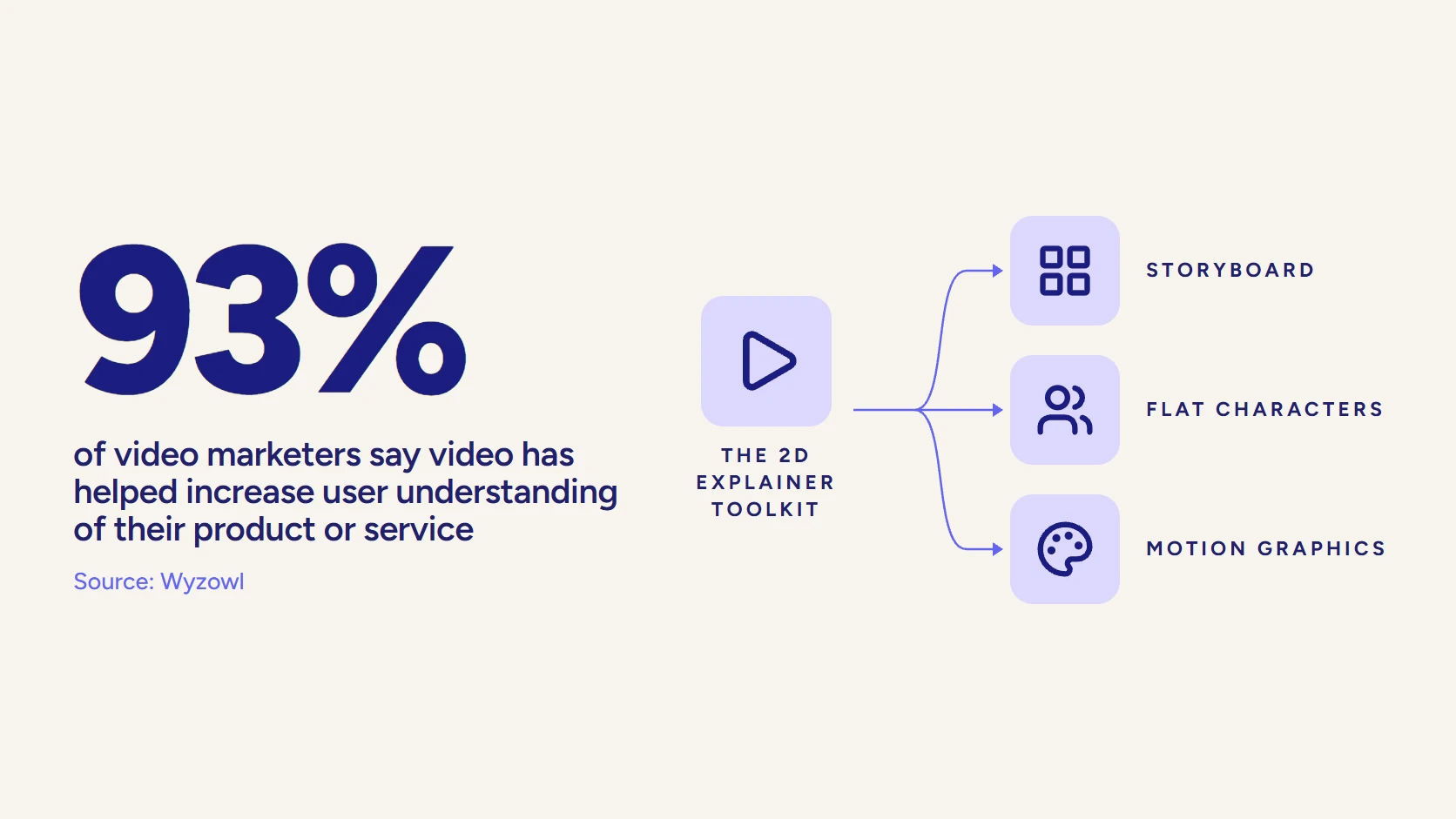
2D Animation
2D animation works in a flat plane: characters, icons, illustrated scenes, and simple shapes moving frame to frame. It is the workhorse of B2B explainers because it is fast to iterate, endlessly flexible in style, and forgiving when the script changes. A concept that would take days to model in 3D can be redrawn in an afternoon.
Its strength is story and metaphor. When you need to show an idea rather than an object (a workflow, a before and after, a customer’s journey through your product), 2D lets a designer invent whatever visual makes the point land. Our guide to 2D and 3D animation compared goes deeper on when each is the right call.
3D Animation
3D animation builds objects and environments in modeled space. Once a model exists, the camera can orbit it, cut inside it, and light it from any angle, all without a reshoot. That makes 3D the natural choice for physical products, machinery, architecture, and anything where spatial understanding is the message.
The cost sits up front, in modeling and rigging. Building the asset is the slow part; once it is built, generating new shots and new angles is comparatively cheap, which is why a 3D model of a product tends to pay for itself across a launch, a sales deck, a trade-show loop, and a support library.
Motion Graphics
Motion graphics is animated design: typography, charts, logos, UI elements, and abstract shapes set in motion, usually with no characters at all. It is how you make data feel like a story and how you turn a static interface into a guided tour. Most brand sizzle reels, data explainers, and app walkthroughs are motion graphics under the hood.
It is often the most cost-efficient route to a polished result, because it leans on design and editing rather than character animation. When the raw material is numbers, words, and screens, motion graphics usually wins on both speed and clarity.
CGI and VFX
CGI (computer-generated imagery) is the rendering of photoreal or impossible imagery, and VFX (visual effects) is the craft of blending that imagery with filmed footage so the seam disappears. In B2B, CGI shows a product with a realism that reads as a photograph, then does the thing a photograph cannot: peels away the housing, x-rays the assembly, or drops the product into an environment that was never physically built.
It is the most demanding of the four in time and compute, and the most easily wasted. Photoreal CGI on a subject that a simple 2D diagram would have explained better is money spent on polish nobody needed. Reserved for the right hero shot, it is unmatched.
How Did CGI Grow From a Novelty Into a B2B Tool?
CGI moved from experiment to everyday in about four decades, and the milestones explain why it can now do commercial work on a marketing timeline. The short version: what once took a film studio a year now runs on a studio workstation in weeks, which is the whole reason a B2B brand can afford a CGI product film at all.
From Vertigo to Toy Story
The first computer-generated sequence most historians point to appeared in Alfred Hitchcock’s Vertigo in 1958, a spiraling title graphic built with analog computing. For decades after, CGI stayed a rare, expensive novelty seen in flashes.
The breakthroughs came fast once the tools matured.
- Terminator 2, 1991. A convincing computer-generated character on screen for the first time.
- Jurassic Park, 1993. CGI dinosaurs blended with practical effects so well that audiences stopped asking which was which.
- Toy Story, 1995. The first feature made entirely with computer animation, and the ceiling disappeared.
Why the History Matters to Your Budget
Each of those leaps pushed capability up and cost down. The rigging, rendering, and simulation that studios invented for blockbusters became off-the-shelf software, and the render farms that cost a fortune became cloud time you rent by the hour.
The practical result for a marketing team is simple. Photoreal 3D and CGI, which used to be the exclusive preserve of feature films and car commercials with seven-figure budgets, are now a normal line item in a product-launch program. The question stopped being whether you can afford CGI and became whether the shot actually needs it.
Which Animation Style Should You Choose for Your Message?
Choose the style by the job the video has to do, not by what looks impressive in a reel. A compliance module and a product launch want opposite treatments, and the fastest way to overspend is to pick a look before you pick a purpose. Match the message to the style and the budget tends to follow.
Style by Goal
A few reliable pairings cover most B2B briefs:
- Explainer or onboarding: clean 2D or motion graphics, because clarity and fast revisions matter more than spectacle.
- Data or results story: motion graphics, so numbers, charts, and comparisons carry the narrative.
- Physical product reveal: 3D or CGI, so the object can be shown from angles a photo shoot cannot reach.
- Brand or vision film: mixed media, often filmed footage plus animated overlays, to pair emotion with information.
- Training and compliance: character-led 2D or whiteboard, which keeps dry material human and easy to update.
Character animation deserves its own note. Giving your explainer a recurring character or mascot buys memorability and a consistent host across a whole series, but it raises the animation cost, because a rigged character is more work to move than a set of icons. It pays off when you are building a library, less so for a one-off.
Whiteboard, Kinetic Type, and Mixed Media
Beyond the core disciplines sit a handful of styles worth knowing by name:
- Whiteboard animation. Hand-drawn illustration that appears as if sketched live. Cheap, fast, and disarming, which is why it thrives in training and finance.
- Kinetic typography. Words animated in time with a voiceover or track. Ideal for quotes, manifestos, and message-dense social cuts.
- Mixed media. Deliberately combining filmed footage, 2D, 3D, and motion graphics in one piece so each part plays to its strength.
There is no single best style, only a best fit. If you are weighing options, our roundup of animation styles with real examples shows the range, and our guide to choosing the right explainer format maps whiteboard, 2D, and 3D to specific briefs.
What Can 3D and CGI Show That a Camera Cannot?
3D and CGI show the parts of your product a camera is physically blocked from reaching: the inside, the impossible angle, the microscopic scale, and the version that does not exist yet. For any company selling something complex, that capability is not a nice-to-have. It is the difference between a buyer understanding the product and nodding politely.
The Shots Only a Render Can Get
Certain shots simply have no photographic equivalent. These are the ones clients are usually surprised to learn they can have:
- Cutaways and exploded views. Slice a sealed device in half, float every component apart, and label the flow, all without destroying a real unit.
- Internal mechanisms in motion. Watch the pump, the valve, or the engine run from the inside while it is working.
- Invisible forces. Airflow, heat, magnetic fields, and data traffic become visible layers you can color and follow.
- Extreme scale. Travel from a warehouse to a single sensor to the chip inside it in one unbroken move.
- Unreleased or configurable products. Show a product that is still in tooling, or reconfigure it live to match a prospect’s exact spec.
There is a quieter benefit that finance teams appreciate: a 3D model removes the photo shoot entirely. No prototype to ship, no studio to rent, no reshoot when the color changes. You render the new variant. Our deep dive on why complex products need 3D product animation covers that shift from shoot to model.
Where This Pays Off in B2B
The industries that lean hardest on 3D and CGI are the ones whose products resist a lens. Medical device makers show mechanisms inside the body. Industrial and manufacturing brands reveal machines that would fill a warehouse. Software and hardware companies visualize architecture and data. Aerospace and energy show scale and forces no crew could film.
In each case, the animation is doing the selling that a spec sheet cannot. A prospect who watches a payment route itself through your platform, or a coating bond at the molecular level, has understood your value in a way three paragraphs of copy never delivers.
How Do B2B Teams Actually Use Animated Video?
Animated video shows up across the funnel, from the first explainer a prospect watches to the training module a new hire completes. The common thread is comprehension: when a concept is hard to grasp, animation is the format that makes it click. Buyers already expect it, and they act on it.
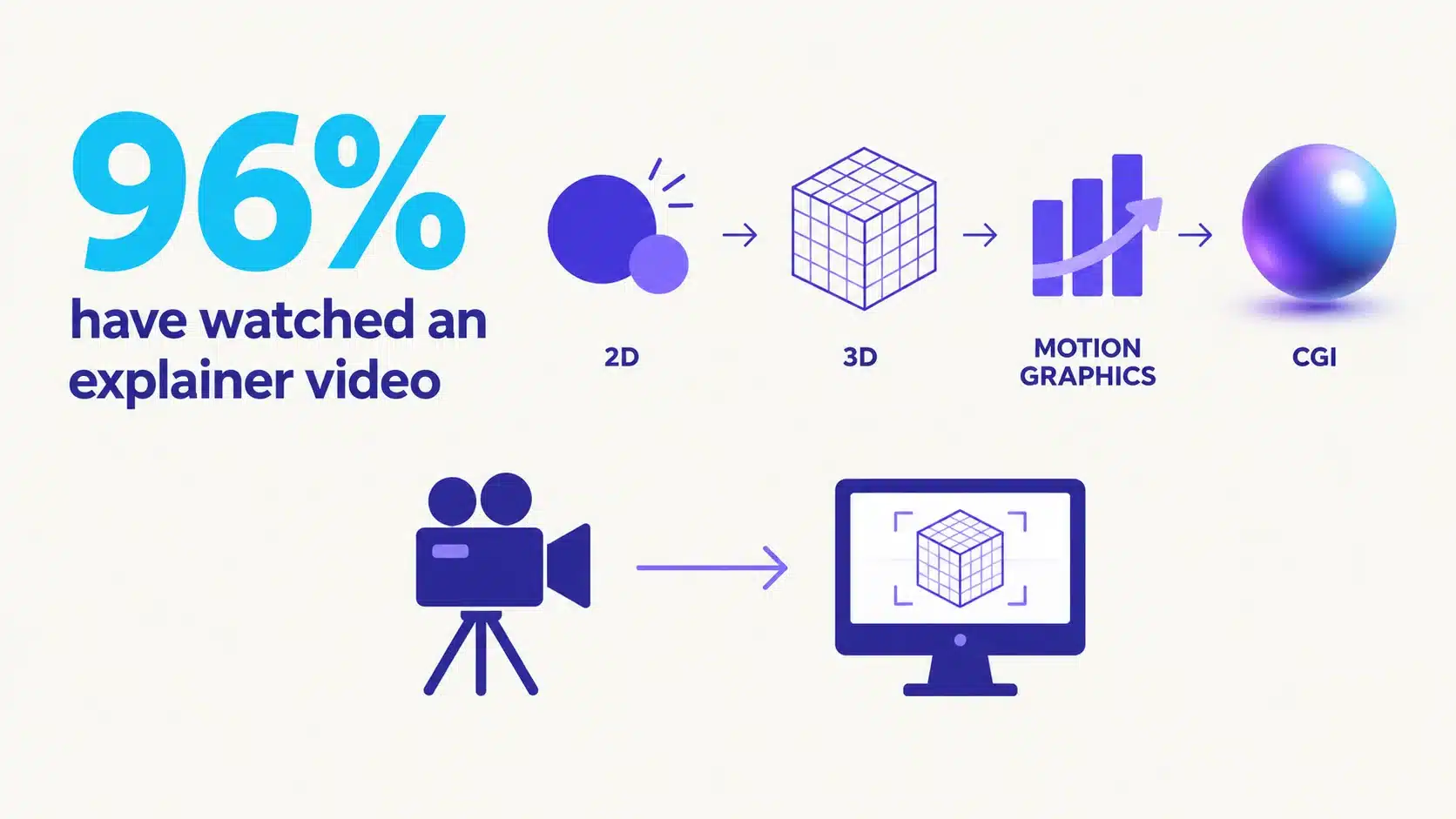
The demand is not a hunch. In Wyzowl’s 2026 research, 96% of people say they have watched an explainer video to learn more about a product or service, and 85% say a video has convinced them to buy one. Video overall is now used by 91% of businesses as a marketing tool.
The Core Use Cases
Five jobs cover most of what animation is hired to do in B2B:
- Explainer videos. The 60 to 90 second answer to “what is this and why do I care,” almost always the highest-traffic video a company owns. See our explainer video production work for the format in practice.
- Product and feature demos. Animated walkthroughs that show software or hardware doing its job, without the bugs and loading screens a screen recording catches. Our guide to software demo videos that sell covers the approach.
- Technical and how-it-works films. The 3D and CGI pieces that reveal a mechanism, a process, or an architecture in a way a sales engineer can point at.
- Brand and vision pieces. Higher-craft films that set tone and belief, often mixing animation with filmed footage.
- Training and onboarding. Animated modules that stay consistent, update easily, and never need the original presenter back in a studio.
Why Animation Fits Modern B2B Buying
Buyers self-educate now, long before they talk to sales. They watch, compare, and shortlist on their own, which puts a premium on any asset that explains fast and travels well. An animated explainer answers the same question at 2 a.m. that a sales rep would answer in a demo, and it does so identically every time.
That consistency is the underrated part. A rep has good days and bad days; an animated explainer delivers the strongest version of your pitch on every view, in every market, at any hour. For the wider B2B picture, our guide to B2B animation video production connects the formats to the funnel.
Video that has to work?
Plan your next video project with LocalEyes Video Production and start from the goal, not the brief.
What Are the Stages of the Animation Production Pipeline?
Animation is made in a fixed sequence, and the order exists to make changes cheap early and expensive late. The whole discipline of a good studio is front-loading decisions into the stages where a change costs a pencil line, not a re-render. Skip the early stages and you pay for them twice.
The animation pipeline, front to back
- Script and messagingThe whole video written as words; if the idea fails on the page, animation cannot save it.
- StoryboardThe script drawn shot by shot, so composition changes cost a pencil line, not a render.
- Style framesA few finished stills that lock color, type, and look before anything moves.
- AnimaticThe storyboard timed to the voiceover, the last cheap place to fix pacing.
- Modeling and riggingFor 3D and CGI, building and rigging the models, environments, and characters.
- AnimationBringing the boards to life, timed against the approved animatic.
- Lighting and renderLighting, texturing, and rendering the shots, the most compute-heavy stage.
- Sound and finishVoiceover, music, sound design, captions, and every channel version.
Preproduction: Where the Video Is Actually Won
Most of the quality of an animated video is decided before anything moves. Preproduction is four steps, and each one is a checkpoint you approve before the next begins:
- Script. The entire video written as words. If the idea does not work on the page, no amount of animation will save it, which is why the script is the most important file in the project.
- Storyboard. The script drawn out shot by shot, fixing composition and sequence while a change is still just a redrawn frame.
- Style frames. A few fully finished stills that lock color, type, and overall look, so everyone signs off on the world before it is built.
- Animatic. The storyboard timed to the voiceover, so pacing problems surface now, at the last cheap moment to fix them.
The animatic is the stage clients most want to skip and most regret skipping. It is a rough, unglamorous timing pass, and it is the difference between catching a pacing problem in an afternoon and discovering it after everything is rendered. A strong script feeds all of this; our notes on animation script writing cover getting the words right first.
Production: Building and Moving
Production is where the approved plan becomes moving image. For 2D and motion graphics it is largely animation and design. For 3D and CGI it adds a heavier build phase:
- Modeling and rigging. In 3D, the objects, environments, and characters are built and given the controls that let them move. This is the slow, foundational stage.
- Animation. The boards come to life, whether that is 2D frames, 3D keyframes, or motion-graphic moves, all timed against the approved animatic.
Because the animatic already locked timing, this stage is execution rather than invention. That is the payoff of a disciplined preproduction: the expensive hours go into polish, not into rethinking the video while the meter runs.
Post: Render, Sound, and Finish
The final stage turns finished frames into a finished film:
- Lighting and render. For 3D and CGI, lighting and texturing the scene, then rendering it out, the most compute-heavy step in the whole pipeline.
- Sound design, voiceover, and music. The audio that carries at least half the emotion, mixed so every word is clear.
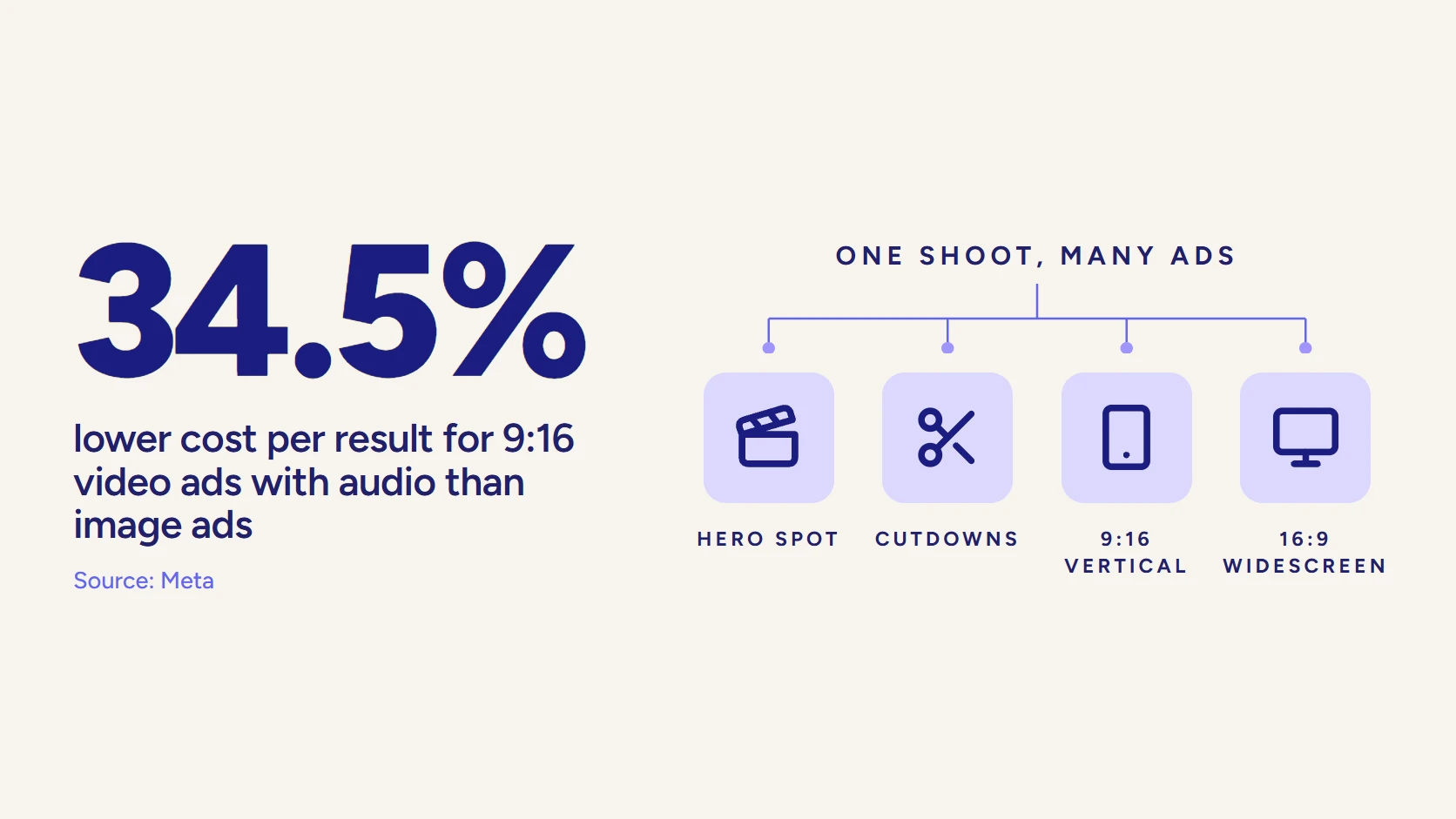
- Captions and channel versions. Subtitles for sound-off feeds, plus the aspect ratios and cutdowns each platform needs.
For the full step-by-step, our animation production process guide walks each stage with what to approve at every gate.
How Long Does It Take to Produce an Animated Video?
Most animated B2B videos take 8 to 12 weeks from kickoff to final delivery, with simpler motion-graphics pieces landing faster and heavy 3D or CGI running longer. The timeline is driven by complexity and by the speed of your feedback, far more than by the length of the finished video.
As a working benchmark, studios commonly quote 8 to 12 weeks for a 2D or motion-graphics animation and 6 to 8 weeks for a straightforward explainer, covering scripting, design, animation, and revisions. A photoreal 3D product film or a CGI hero shot sits at the longer end, because modeling, rigging, and rendering all add real days.
What Actually Moves the Timeline
Two projects of the same length can differ by a month. The variables that matter:
- Discipline. Motion graphics is quickest, 2D is fast, 3D is slower, and CGI is slowest, because each adds a build or render burden.
- Character work. A rigged character is more work to animate than icons and shapes, so character-led pieces take longer.
- Revision rounds. Every extra round of changes adds a week. Batching feedback into clear, consolidated notes is the single biggest thing a client controls.
- Approvals. A video with five stakeholders approving each stage moves slower than one with a single decision-maker, no matter how good the studio is.
How to Protect the Schedule
The fastest projects are not the ones that skip stages. They are the ones that approve each stage decisively. A client who signs off the script, the style frames, and the animatic on time, and returns one consolidated set of notes per round, will beat a client who reopens settled questions every week, even with the same studio and the same scope.
Speed is a client behavior, not a studio setting.
Front-loading the hard conversations into preproduction is what keeps the back end fast. When the script and the animatic are truly locked, animation and render become a predictable countdown rather than a moving target.
What Drives the Cost of an Animation Project?
Animation is priced by complexity, length, and the discipline involved, not by an hourly rate on a camera. Two 60-second videos can differ by a factor of five, because one is clean 2D and the other is character-rigged 3D with a custom soundtrack. Understanding the drivers is how you brief for the price you want.
| Package | Investment | Best for |
|---|---|---|
| Single animated video | From $3,000 | One explainer, 3D product piece, or motion-graphics video. |
| Core animation program | $6,000 to $20,000 | Strategy, script, style frames, animation, sound design, and captions. |
| Full asset set | $6,000 to $20,000 | A hero film plus social cutdowns and localized versions from one build. |
The Real Cost Drivers
Six factors move an animation quote more than anything else:
- Discipline. Motion graphics and 2D are generally the most cost-efficient; 3D and photoreal CGI are the most expensive, because they add modeling and rendering.
- Length and shot count. More seconds and more distinct scenes mean more to animate. A tight script is a budget tool.
- Character animation. Custom, rigged characters cost more than icon-and-shape design, and a cast costs more than a single character.
- Style and detail. A bespoke illustrated world costs more than a clean template-driven look, and photoreal detail costs more than stylized.
- Sound. Custom music and professional voiceover in multiple languages add up; stock tracks keep it lean.
- Revisions and versions. Extra revision rounds and many channel cutdowns expand the edit, so they belong in the scope from the start.
For context on the market, animation and motion-graphics studios listed on DesignRush commonly charge in the range of $100 to $200 per hour, with minimum project budgets that run from around $1,000 to more than $25,000 depending on the studio’s tier. Explainer specialists more often quote per project, roughly $2,500 to $50,000 and up, with timelines of 4 to 12 weeks.
How LocalEyes Prices Animation
LocalEyes Video Production scopes animation to the finished asset set, not to a day rate or an hourly meter. A single animated video (an explainer, a 3D product piece, or a motion-graphics story) starts around $3,000, and a full animation program runs inside a $6,000 to $20,000 engagement, priced to the exact list of assets you need to leave with.
That framing exists because the value of animation is compounding reuse. A 3D model built once feeds a launch film, a set of feature clips, a trade-show loop, a sales-deck sequence, and a support library. Pricing the model as a single shoot day would punish the thing that makes it valuable. If you want a live-action reference point, our explainer video cost guide breaks the ranges down further.
How Do You Choose an Animation Studio?
Choose the studio by whether it can script and think, not only render, and whether it works in the exact style your project needs. A gorgeous reel in the wrong style is a warning, not a recommendation. The vetting questions below separate a production partner from a pair of hands.
What to Look For
Six checks tell you most of what you need to know:
- Range in your style. Ask for finished work in the specific discipline you need, whether that is character 2D, technical 3D, or data-driven motion graphics. A studio strong in one is not automatically strong in another.
- Strategy and scriptwriting in-house. The best animation dies on a weak script. A partner that owns the writing owns the outcome; one that animates whatever you send owns nothing.
- A transparent pipeline. They should name the stages, show you the gates, and tell you exactly what you approve and when. Vagueness here becomes surprises later.
- Clear revision terms. Know how many rounds are included and what an extra round costs, in writing, before you start.
- Ownership and source files. Confirm you own the final video and can get the project files, so a future edit is not held hostage.
- Scale across formats and markets. If you will need cutdowns, localized versions, and a consistent look across a series, the studio has to hold one standard everywhere.
The freelancer-versus-studio question comes up constantly. A talented freelancer can be perfect for a single, self-contained piece. A studio earns its keep on programs, where strategy, a full pipeline, redundancy, and consistent output across many assets matter more than a single great frame. Our guide to choosing an animation studio for enterprise projects works through the tradeoff.
The AI Question
AI animation tools are improving fast, and for throwaway internal clips they are genuinely useful. For a brand-critical asset that has to be exactly on-message and exactly on-brand, human-directed production still wins, because the value is in the judgment: the script choice, the pacing, the one shot that carries the point. We make that case in full in our piece on AI animation versus studio craft.
A practical way to read a studio is to watch how it talks about tools. A partner that treats AI as one instrument inside a directed process is thinking about your outcome. One that sells speed and price above all is selling the very thing that makes generic video generic.
What Should You Own When the Project Ships?
You should ship with a finished master, every channel version you will actually post, the captions, and the project files that let you edit later. Animation is uniquely reusable, and a deliverable list that stops at “one final video” leaves most of that value on the table.
The Deliverable List That Protects Reuse
A complete animation handoff usually includes more than the hero cut:
- The master video. Full-resolution, in the primary aspect ratio, color and sound finished.
- Channel versions. Vertical and square cuts for social, a widescreen cut for the site and sales, and any length variants you agreed.
- Captions and subtitles. Open or closed captions for sound-off viewing, plus subtitle files for localization.
- Localized editions. Swapped voiceover and on-screen text for each market, cheap to produce because the animation is already built.
- Source and project files. The editable files, so a future price change or UI update is a revision, not a rebuild.
The localization point is where animation quietly outperforms live action. Translating a filmed video means new voiceover and re-timed subtitles at best, a reshoot at worst. Translating an animated one means swapping a text layer and a voice track over the same visuals, which is why global teams standardize on it.
One Build, Many Assets
The reason a program beats a one-off is arithmetic. A single 3D product build can generate a launch film, a dozen feature clips, a looping trade-show reel, and a set of social cutdowns, all from the same models and the same style. The marginal cost of the second asset is a fraction of the first.
One build, many finished assets.
Teams that plan the asset set before the build walk away with a content library. Teams that order one video and think about reuse later walk away with one video and a bespoke project file they will pay to reopen. Planning the list up front is the entire difference.
Why Does Animation Work Better as a Program Than a One-Off?
Animation rewards programs because the expensive part, the build, is reusable and the cheap part, new versions, compounds. A single coordinated production yields a set of finished assets; a one-off yields one asset and a project you will pay to revisit. The math favors planning the whole set at once.
Scale is where that shows. LocalEyes Video Production has produced 4,000 videos across 10 US markets with Emmy recognition and 500+ five-star reviews, and animation is where a program model earns its keep, because one build has to serve a launch, a sales team, a support library, and every social feed at once.
The market backs the format, too. The global animation and VFX industry is projected to grow from about $197 billion in 2025 toward roughly $221 billion in 2026, an 11.86% annual clip. Buyers are not just tolerating animated and CGI content; they increasingly expect it, and 89% say the quality of a company’s video affects how much they trust its brand.
That trust point is the close. A cheap, generic animation does not just underperform; it actively signals a cheap, generic company. A crafted one signals the opposite. Our full video production services cover the strategy and distribution around every animated build, and our animation video production services show the disciplines applied to real B2B work.
Video that has to work?
Plan your next video project with LocalEyes Video Production and start from the goal, not the brief.
Frequently Asked Questions
When Should You Use Animation Instead of Live Action?
What Is the Difference Between 2D, 3D, Motion Graphics, and CGI?
How Long Does It Take to Produce a 3D Animation Video?
How Much Does an Animated Explainer Video Cost?
Can 3D Animation Replace a Product Photo Shoot?
What Is the Difference Between CGI and VFX?
Do You Provide Scriptwriting, Voiceover, and Sound Design?
When Was CGI First Used in Film?

Founder at LocalEyes Video Production | Inc. 5000 CEO | Emmy Award Winning Producer